AI Room Makeover Playbook
A homeowner-first guide to photo-based makeovers, layouts, and finishes you can visualize fast.
First render free • Uploads stay private. Delete any time.
- Instant results
- Room Lock™
- Light Lock™
- Style Engine™

How it works
Three simple steps to transform your space
Upload photo
Drag & drop your room photo or click to browse
Pick style
Choose from 16 designer-curated styles
Get results
Download photorealistic redesign in minutes
See the transformation
Real rooms, real results. Our AI preserves your architecture while creating stunning makeovers.
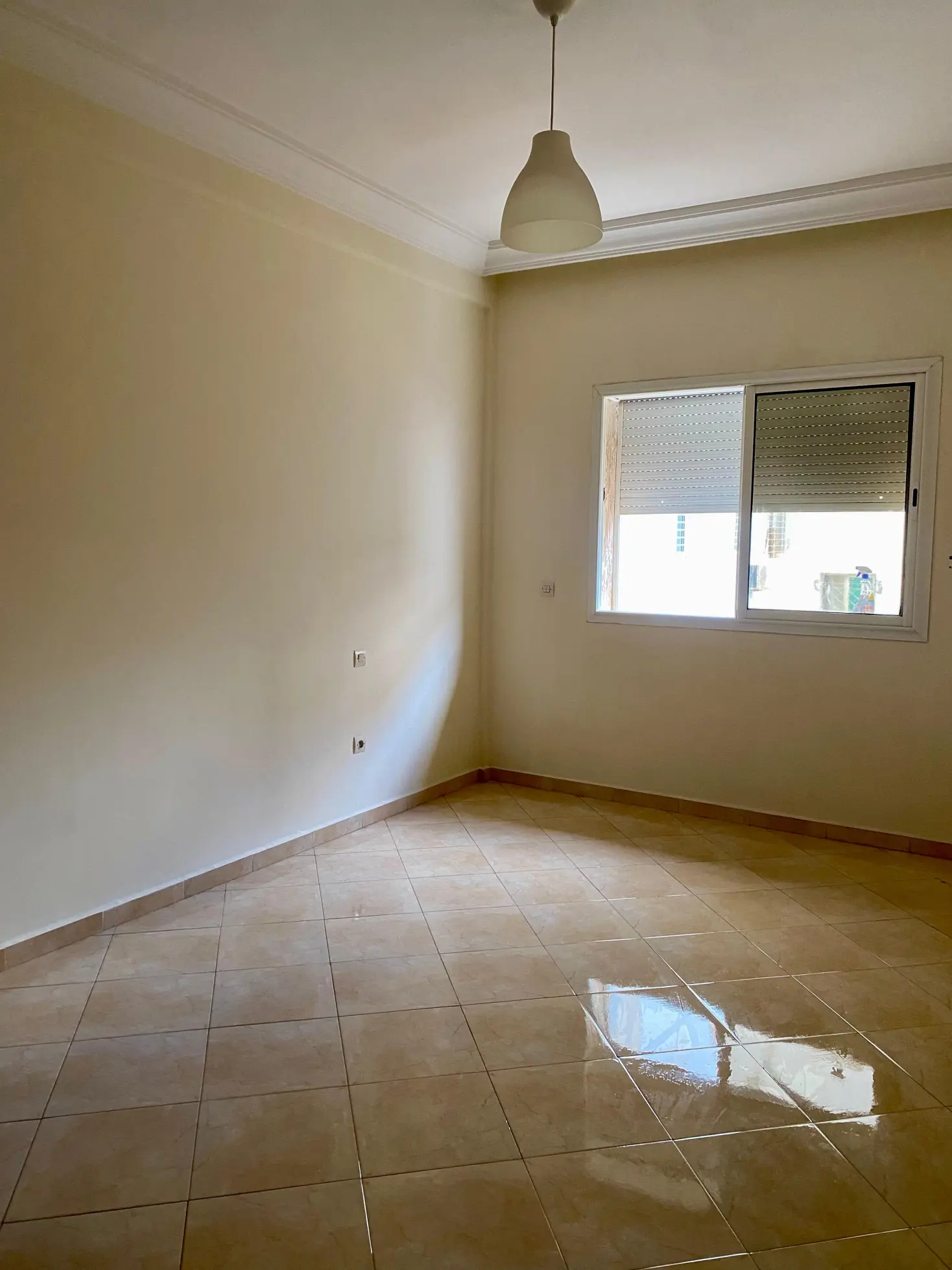
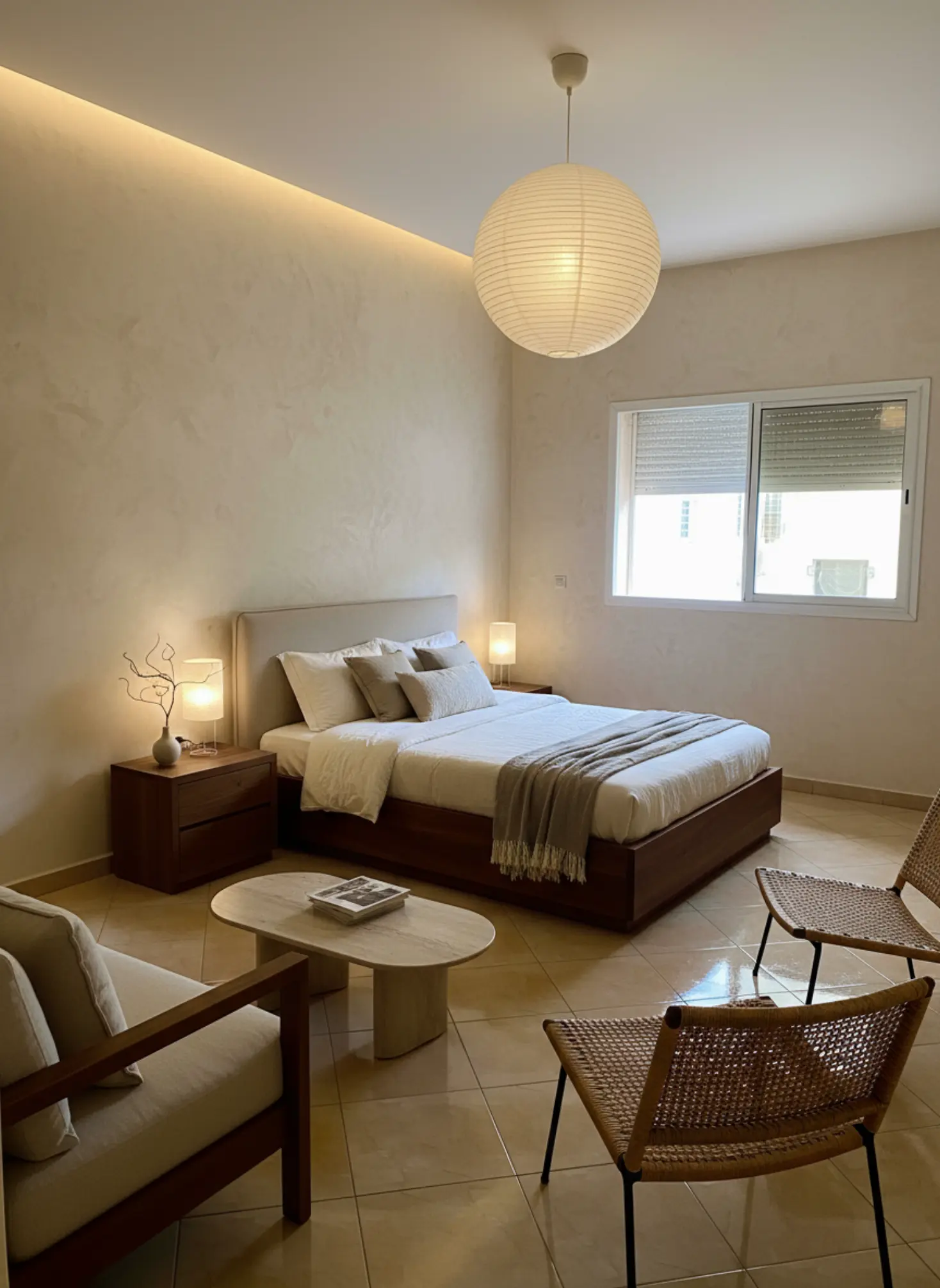
Bedroom Redesign: Transformed a cluttered bedroom into a modern, minimalist haven.
What our AI preserves
- ✓
Room proportions
Ceiling height, wall dimensions, and spatial relationships
- ✓
Natural lighting
Window placement, light direction, and shadows
- ✓
Architectural details
Moldings, built-ins, and structural elements
- ✓
Camera angle
Maintains your original perspective and framing
Ready to transform your space?
Upload your room photo and see the magic happen in minutes.
Try it free nowAI Room Makeover Playbook
AI Room Makeover Playbook is becoming the fastest way to turn a vague idea into a room you can actually live with, and that matters now because most people are redesigning spaces with tighter budgets, less time, and far less room for error. You no longer need to guess whether walnut, bouclé, or a warm greige wall will work in your light; you can test the direction before spending on paint, furniture, or trades. For homeowners, that means fewer costly mistakes. For designers and agents, it means faster concepting and stronger presentation without losing the real bones of the space. This page is your practical, authoritative map for using AI to plan room makeovers with confidence.
A homeowner-first guide to photo-based makeovers, layouts, and finishes you can visualize fast.
Understanding AI Room Makeover Playbook
At its core, AI Room Makeover Playbook is a structured approach to reimagining a room by using AI to test style directions, furniture layouts, finishes, and color stories before you commit to physical changes. The real value is not novelty; it is decision clarity. A good playbook starts with the room as it exists, then layers in intent: how the space should feel, who uses it, and what must stay untouched. That is especially important because walls, windows, natural light, and architectural proportions shape every successful makeover. The best results come from working with those fixed elements rather than fighting them. In practice, this means choosing a style that respects the room’s daylight, ceiling height, and circulation paths. It also means thinking in materials, not just aesthetics—white oak, linen, plaster, travertine, cane, and brushed brass each send a different signal to the eye and the hand. The playbook gives you a repeatable method for making those choices with less risk and more confidence.
Current trends are pushing AI Room Makeover Playbook toward more grounded, tactile interiors rather than overly polished fantasy spaces. You can see it in the rise of warm minimalism, Japandi calm, softened modernism, and Mediterranean-influenced palettes with clay, sand, olive, and muted terracotta tones. Natural finishes are also gaining ground: oiled oak, limewash walls, honed stone, wool upholstery, and hand-thrown ceramics feel more enduring than high-gloss surfaces that age quickly. Market-wise, people want rooms that photograph well but still function in daily life, which is why flexible layouts, built-in storage, and mixed-material schemes are getting more attention. There is also a clear shift toward individualized style blends rather than rigid single-style rooms; a living room might borrow from Nordic light, then add Moroccan patterns or Artisanal Boho texture in a controlled way. That evolution makes AI especially useful because it can help you compare nuanced directions side by side instead of relying on mood boards alone. The strongest playbooks now balance trend awareness with restraint so the room still feels timeless a year later.
Technology is transforming AI Room Makeover Playbook by making iteration fast enough to be useful. Instead of waiting days for a concept board or spending weeks sourcing pieces that may not fit, you can test multiple design directions in minutes and compare how each one sits within your actual architecture. Tigmi is built for that kind of decision-making: you upload a room photo, choose from designer-curated styles, and see how the space changes while the real structure stays intact. That matters because a makeover should never erase the proportions, window placement, or light that make your room yours. Features like room lock help preserve key elements, while before-and-after comparisons make it easier to judge whether a change improves the room or just makes it louder. For homeowners, that reduces expensive trial and error. For designers, it speeds up client approvals. For real estate agents, it makes virtual staging feel credible because the room still reads as the same property, just better interpreted.
How to use this playbook
This playbook turns ai room makeover playbook into decisions you can test in Tigmi. Use it to align mood, palette, and layout before you buy or renovate, then share it as a short brief with anyone involved.
Start broad with atmosphere and lighting, then narrow into materials, furniture scale, and finishing touches. Save your best Tigmi renders as checkpoints so the direction stays consistent from idea to execution.
Playbook snapshot
Use these signals to keep ai room makeover playbook decisions aligned across layout, palette, and budget.
- Goal: write the room story in one clear sentence.
- Palette: pick one base, one accent, one contrast.
- Materials: commit to a hero surface and one tactile fabric.
- Lighting: plan daytime + evening layers before shopping.
- Layout: keep one clean circulation path at all times.
- Styling: choose one hero moment and repeat its cues.
What you'll learn
- Identify which room features should stay fixed so your makeover respects the architecture instead of flattening it.
- Choose a style direction that matches the room’s light, proportions, and function.
- Compare material palettes such as oak, marble, linen, bouclé, and brass with more confidence.
- Spot design choices that are likely to date quickly versus choices that will hold up over time.
- Use AI-generated room concepts to make faster, better decisions before buying furniture, paint, or finishes.
Playbook checklist
Use this checklist to keep ai room makeover playbook decisions aligned from moodboard to final render.
- Define the room goal and the feeling you want visitors to have.
- Pick a primary palette plus two supporting accents.
- Lock one hero material and one hero texture for the space.
- Confirm lighting layers: ambient, task, and accent.
- Set scale rules for seating, storage, and walkways.
- Render three variations in Tigmi to compare ai room makeover playbook directions.
- Translate the best render into a shopping or renovation list.
- Collect feedback and update the prompt once, not ten times.
- Keep a running list of measurements so the layout stays realistic.
- Decide one hero moment to anchor the styling story.
Prompt ideas for Tigmi
Start with these prompt angles, then refine them with your materials and lighting notes.
- ai room makeover playbook, warm neutral base, layered textures, soft daylight, editorial styling.
- ai room makeover playbook, high-contrast palette, sculptural lighting, minimal clutter, gallery vibe.
- ai room makeover playbook, natural materials, calm layout, cozy seating, golden-hour glow.
- ai room makeover playbook, modern classic mix, brass accents, tailored textiles, hotel feel.
- ai room makeover playbook, airy layout, open sightlines, matte finishes, curated art.
- ai room makeover playbook, tonal palette, plush textiles, soft curves, serene mood.
- ai room makeover playbook, bold focal wall, layered lighting, clean sightlines, premium feel.
Top topics to explore
Market playbooks
Common pitfalls to avoid
Avoid these missteps so ai room makeover playbook outcomes stay polished and intentional.
- Starting with a style before understanding the room’s constraints often leads to awkward proportions and a design that feels forced rather than natural.
- Overloading the space with too many trends can make the room feel busy and short-lived, especially if every surface competes for attention.
- Ignoring lighting direction is a subtle but costly mistake because a palette that looks calm in north light can turn flat or muddy in a darker room.
- Treating AI as a final answer instead of a decision tool can produce beautiful images that fail in real life because scale, circulation, and function were never checked.
Expert Insight
The strongest AI Room Makeover Playbook starts with constraints, not inspiration. I always recommend locking the architectural elements first, then testing one dominant material and one accent material so the room has hierarchy; for example, white oak with linen in a calm scheme, or plaster with aged brass in a warmer one. That simple discipline keeps the space from becoming visually noisy and makes sourcing faster because every item has a clear job.
How to use Tigmi
-
1
Upload a clear photo of the room and use Tigmi’s room lock to preserve the walls, windows, and lighting that define the space.
-
2
Select a designer-curated style preset such as Japandi Calm, Modern Haven, or Coastal Breeze to explore a strong starting direction.
-
3
Review the before/after comparisons and adjust the palette, furniture scale, and material balance until the room feels coherent.
-
4
Save the strongest option as your working concept, then use it to guide sourcing, renovation planning, or client presentation.
Playbook FAQs
What is AI Room Makeover Playbook?
AI Room Makeover Playbook is a structured way to plan a room redesign using AI to test styles, layouts, and finishes before you buy anything. It helps you make clearer decisions by showing how ideas might look in your actual space, with the room’s architecture still intact.
How does AI Room Makeover Playbook help avoid costly design mistakes?
It helps you avoid costly design mistakes by letting you compare options before you commit to paint, furniture, or renovation work. That means you can catch issues like oversized seating, clashing wood tones, or a palette that feels too cool for the light in the room.
Can AI Room Makeover Playbook work for professional designers?
Yes, AI Room Makeover Playbook is especially useful for professional designers because it speeds up concept development and client alignment. Instead of building every direction from scratch, you can test several style paths quickly and use the strongest one to move the project forward.
What should I upload for the best AI room makeover results?
Upload a straight-on photo with good natural light and minimal clutter for the best results. A clean image helps the system read the room’s proportions, openings, and existing finishes more accurately, which leads to a more reliable concept.
How is Tigmi different from basic room styling tools?
Tigmi is different because it is designed to preserve the real room while exploring designer-curated styles that feel believable. You can compare directions in your actual space, which makes it easier to choose a look that works in real life rather than just on a mood board.
Ready to create?
If you want a smarter way to plan your next room makeover, Tigmi lets you test the idea in your own space before you spend a single dollar on the wrong choice.
Start with Tigmi →Explore more with Tigmi
- AI Interior Design Studio — Overview of the core room redesign workflow.
- AI Room Makeover — Room-by-room transformations with presets and Room Lock.
- AI Virtual Staging — Stage empty spaces for listings in minutes.
- Style Gallery — Browse 16+ style presets and example renders.
- Pricing & Plans — Compare free and pro tiers before you start.
Ready to transform your space?
Upload your room photo and see the magic happen in minutes.
Upload a room photo and get a designer level makeover in minutes
Try your room free