What kind of photo should I upload?
Use a clear, well-lit photo that shows as much of the room as possible. Straight-on or wide-angle photos generally give the model better spatial context.
Room photo to design concept
Upload a photo, explore a design direction, and turn an abstract idea into a visual concept you can discuss, compare, and refine.
Tigmi redesigns a room from one photo in a couple of minutes: new furniture, materials and colors, on the room you actually have.
AI concepts are visual references; always verify measurements and technical decisions.
Two photos and what Tigmi made of them. Look at the windows, doors and floors: they are the same room.
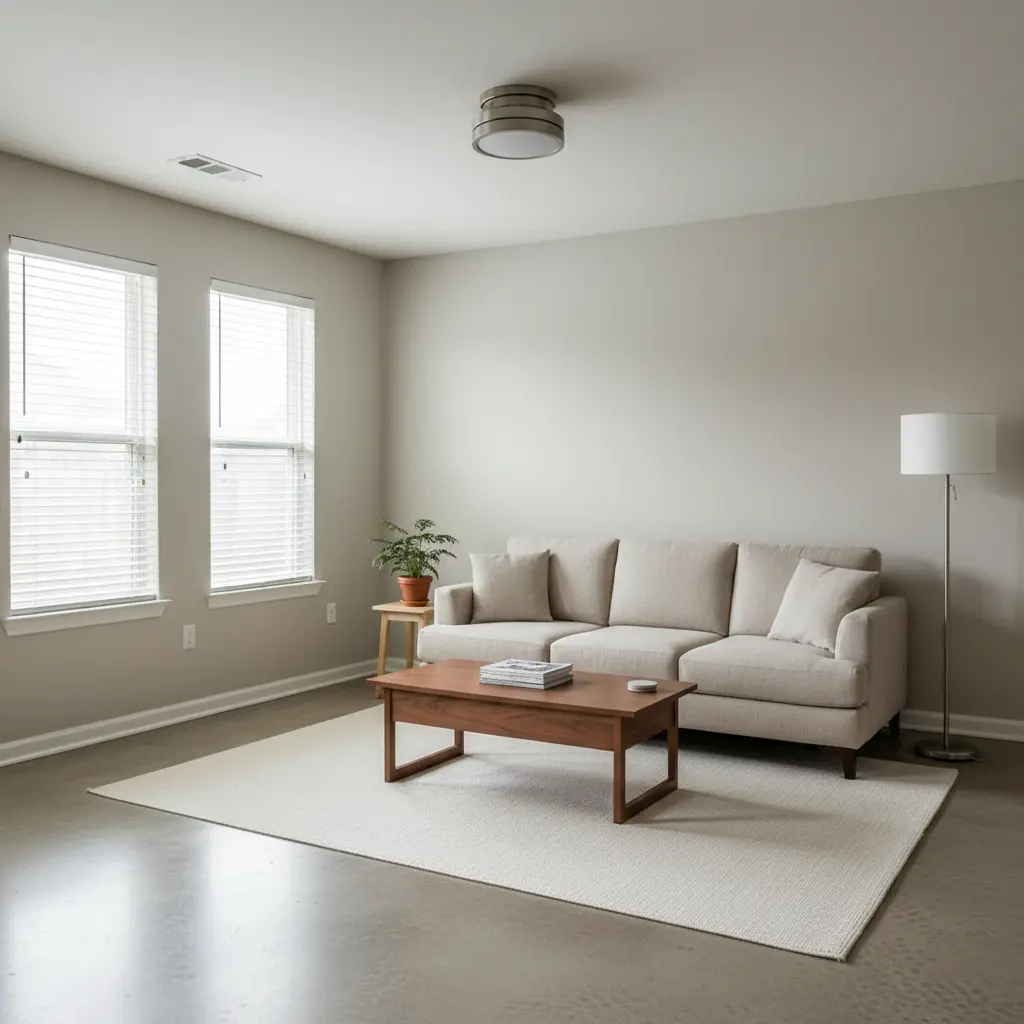 Before: the photo
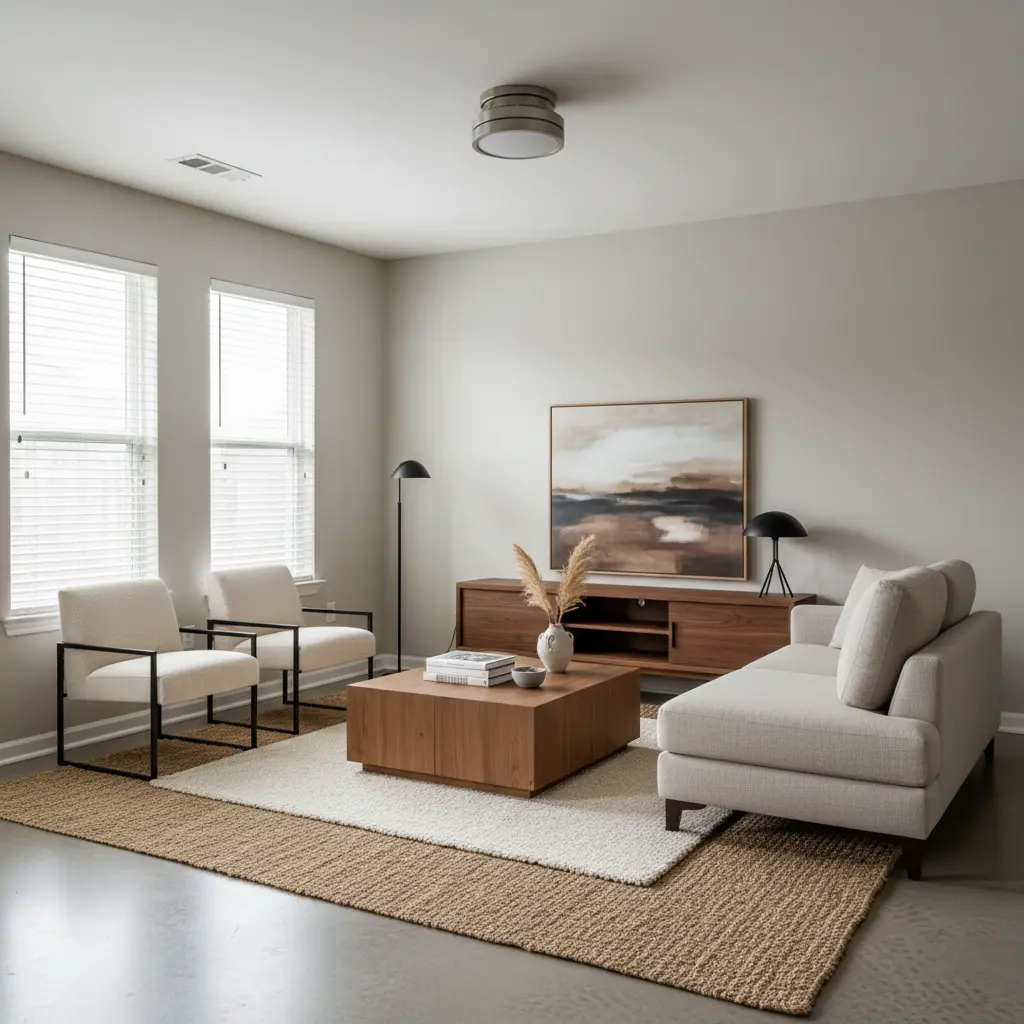 After: the Tigmi redesign
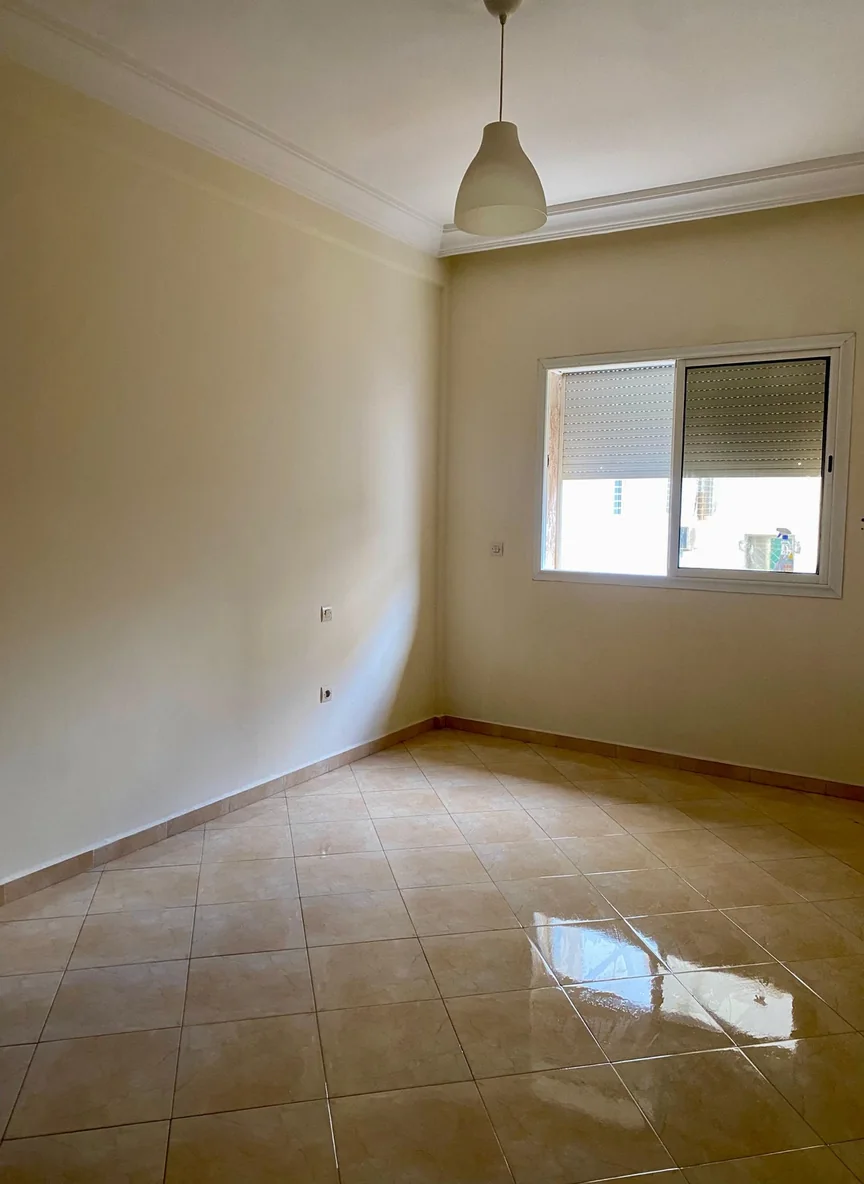 Before: the photo
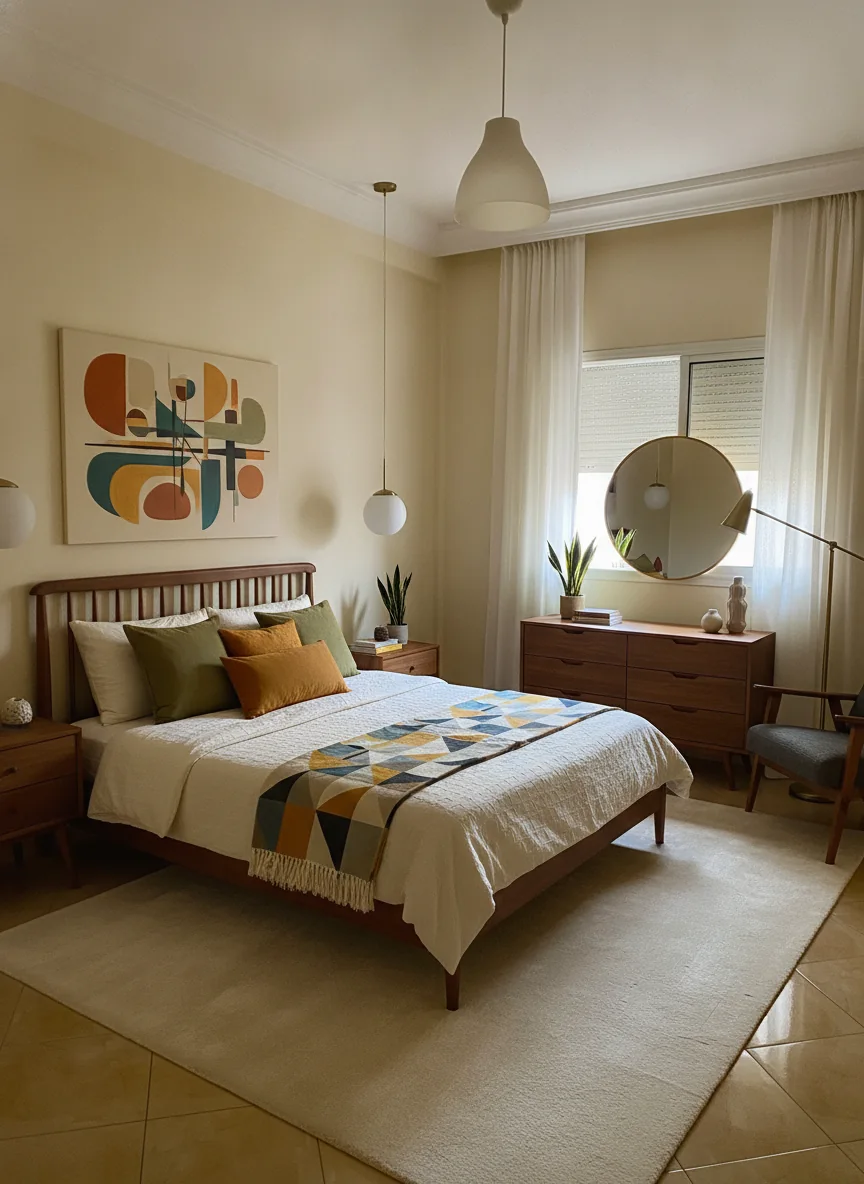 After: the Tigmi redesign
A short workflow for generating and evaluating room ideas.
Step 1
Start with a clear photo of the space you want to explore.
Step 2
Select a style and describe colors, materials, or furniture preferences.
Step 3
Use the result to compare directions and refine your brief before making purchases.
Useful for exploration
Use generated concepts to test broad directions—such as a lighter palette, a different furniture language, or a new room mood. The result can make conversations with family, clients, retailers, or a professional designer more concrete.
Use a clear, well-lit photo that shows as much of the room as possible. Straight-on or wide-angle photos generally give the model better spatial context.
Yes. You can explore ideas for living rooms, bedrooms, kitchens, offices, and other residential spaces.
No. An AI render is a visual concept, not a measured drawing or engineering document. Confirm dimensions, materials, safety requirements, and structural changes with qualified professionals.
Upload a room photo and turn your brief into a visual concept you can evaluate.
Ready in a couple of minutes • Watermark-free on paid plans • Private uploads