AI virtual staging

Furnish empty listing photos in a couple of minutes

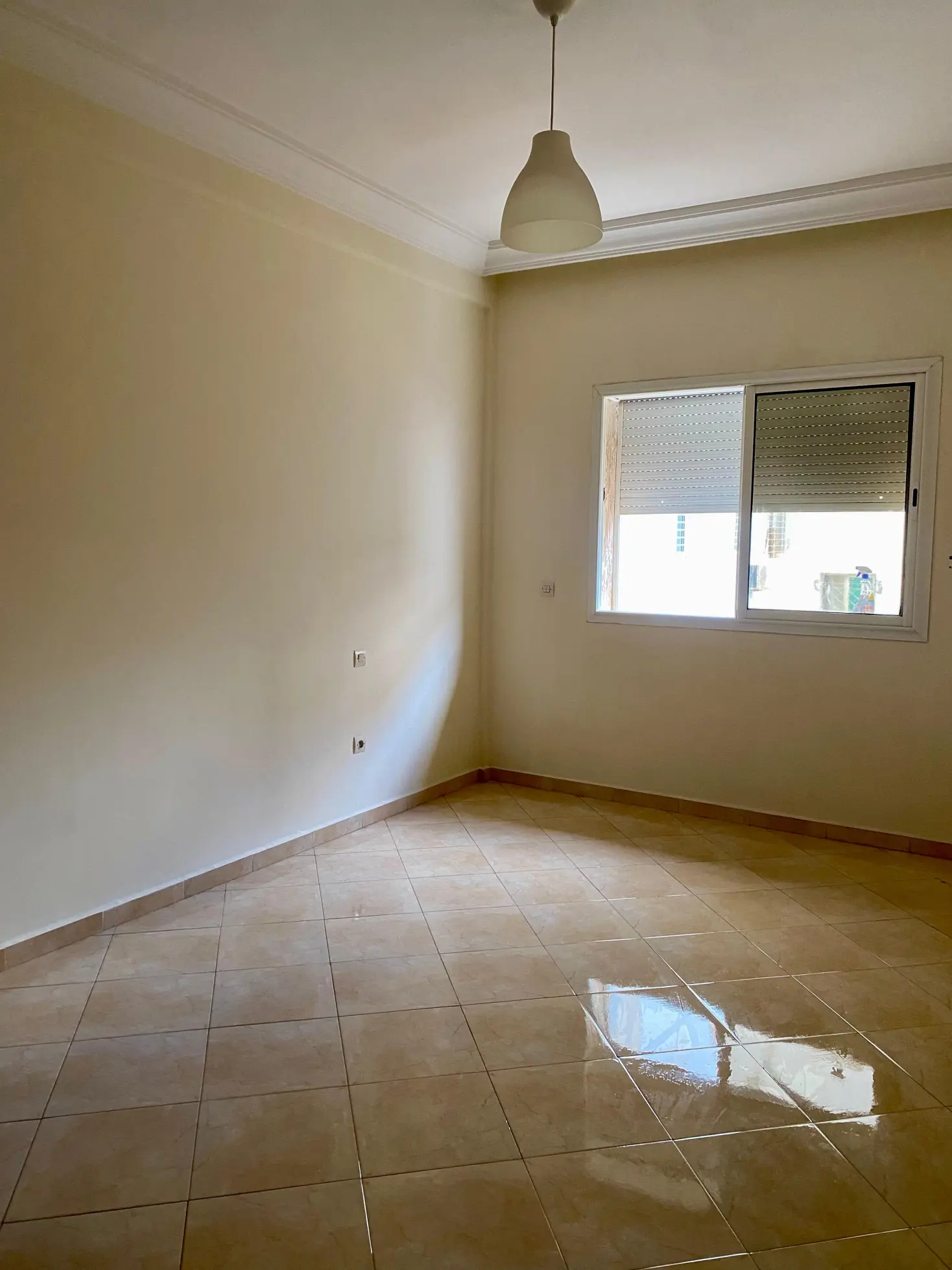
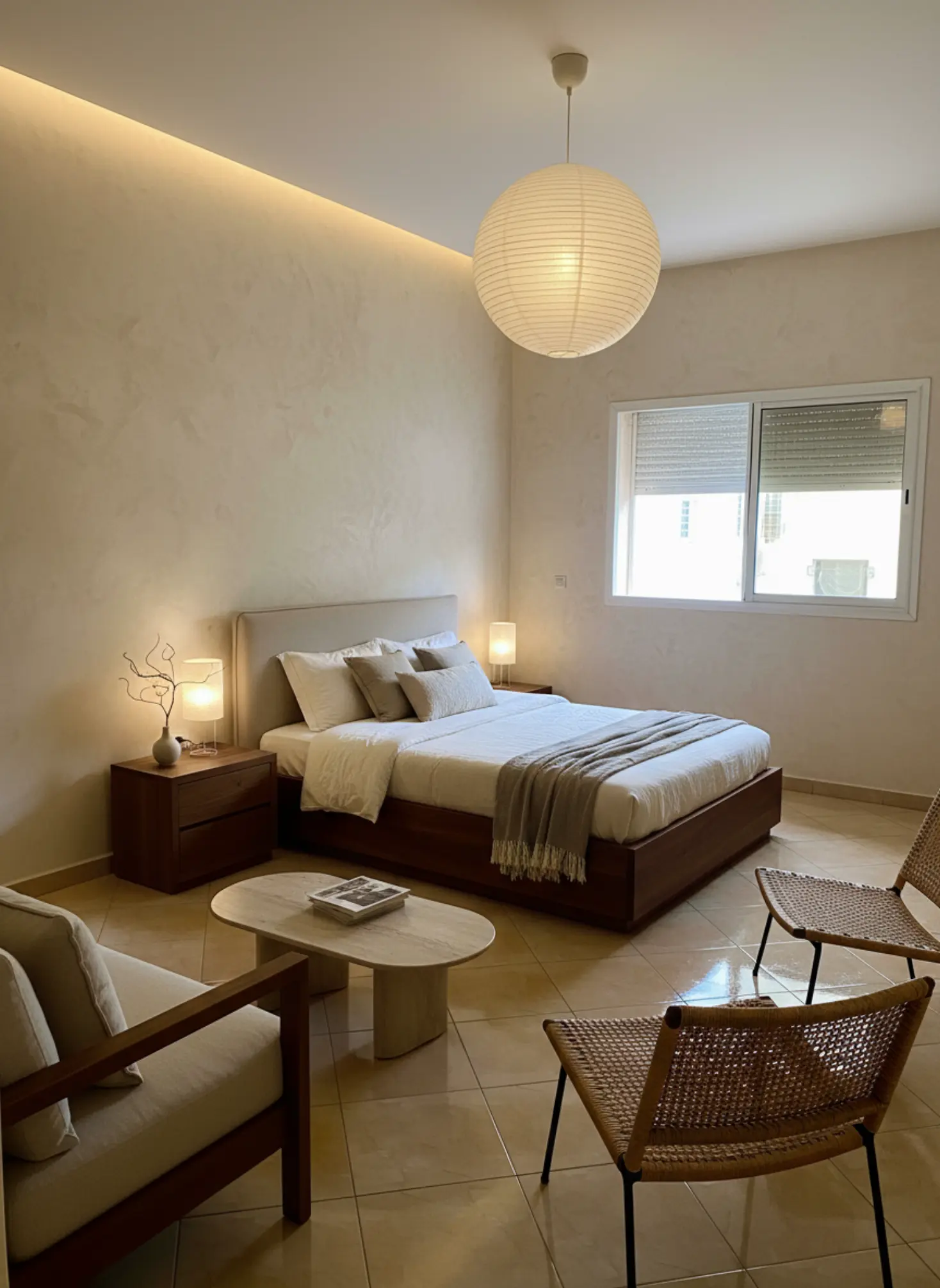
Empty rooms are hard to read: buyers can’t tell where the bed goes or how big the living room really is. Tigmi furnishes your photo while keeping the room’s real walls, windows and floor, so the picture still shows the actual space.

First 3 redesigns each month free · Commercial use on Pro and Enterprise plans

An empty bedroom virtually staged with furniture, before Before: empty room
An empty bedroom virtually staged with furniture, after After: staged with Tigmi
An empty bedroom photographed on a phone and staged with Tigmi. The window and tiled floor are unchanged.

Virtual or physical staging?

Physical staging is still the stronger choice for a high-end home buyers will tour. Virtual staging is the practical one for everything else.

Physical stagingTigmi virtual staging
What you pay forFurniture rental, moving and setupA Tigmi plan, from $25 a month for commercial use
Time to readyDays to weeks, around the moveA couple of minutes per photo
Changing the styleMeans moving furniture againRe-run the photo in another style
Buyers walking inSee the furniture in personSee an empty room, so disclose the staging

How to stage a listing with Tigmi

  1. Step 1

    Photograph the empty room

    Daylight, from a corner, camera level. One photo per room you want to stage.

  2. Step 2

    Pick a neutral style

    Modern Haven, Nordic Light or Minimal Contemporary suit most listings. Add notes like “keep it simple, light colors”.

  3. Step 3

    Check and label it

    Compare with the original, then publish it labeled as virtually staged, next to the empty photo.

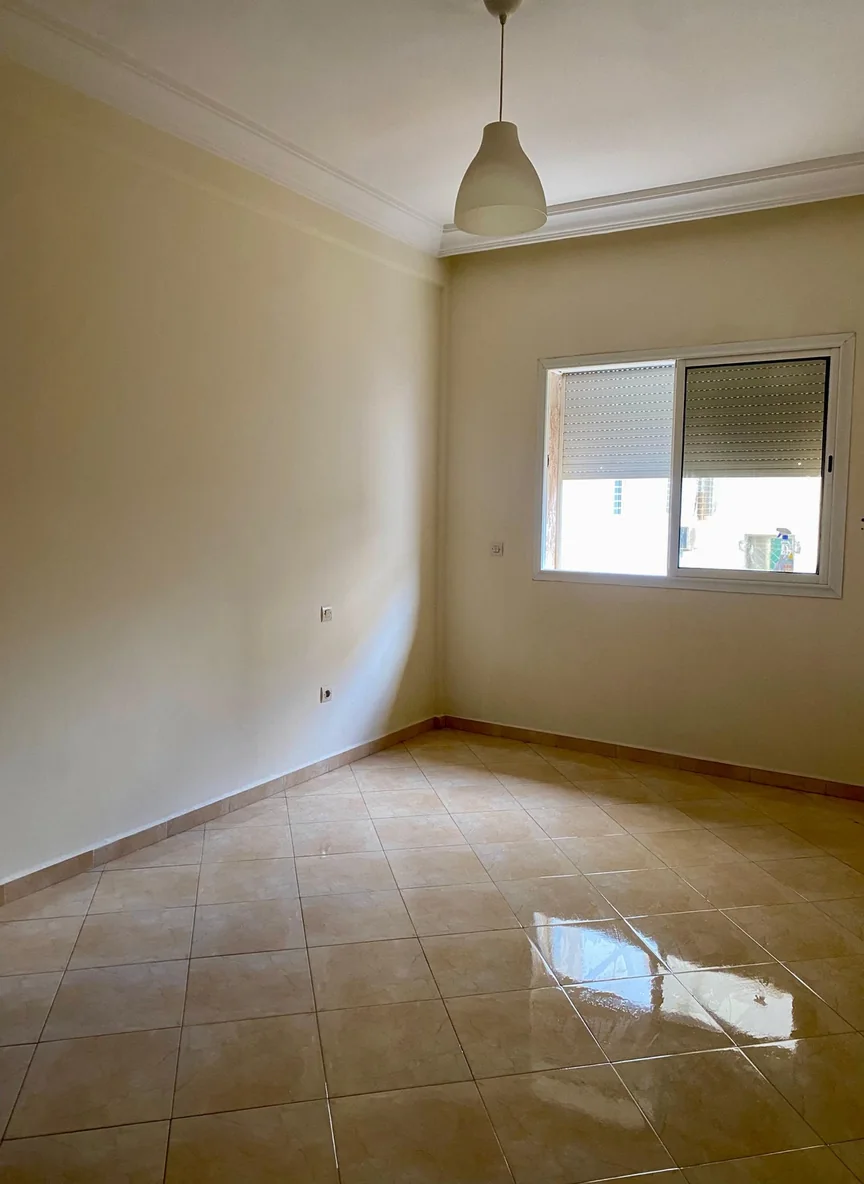
An empty bedroom staged in a neutral modern style, before Before: empty room
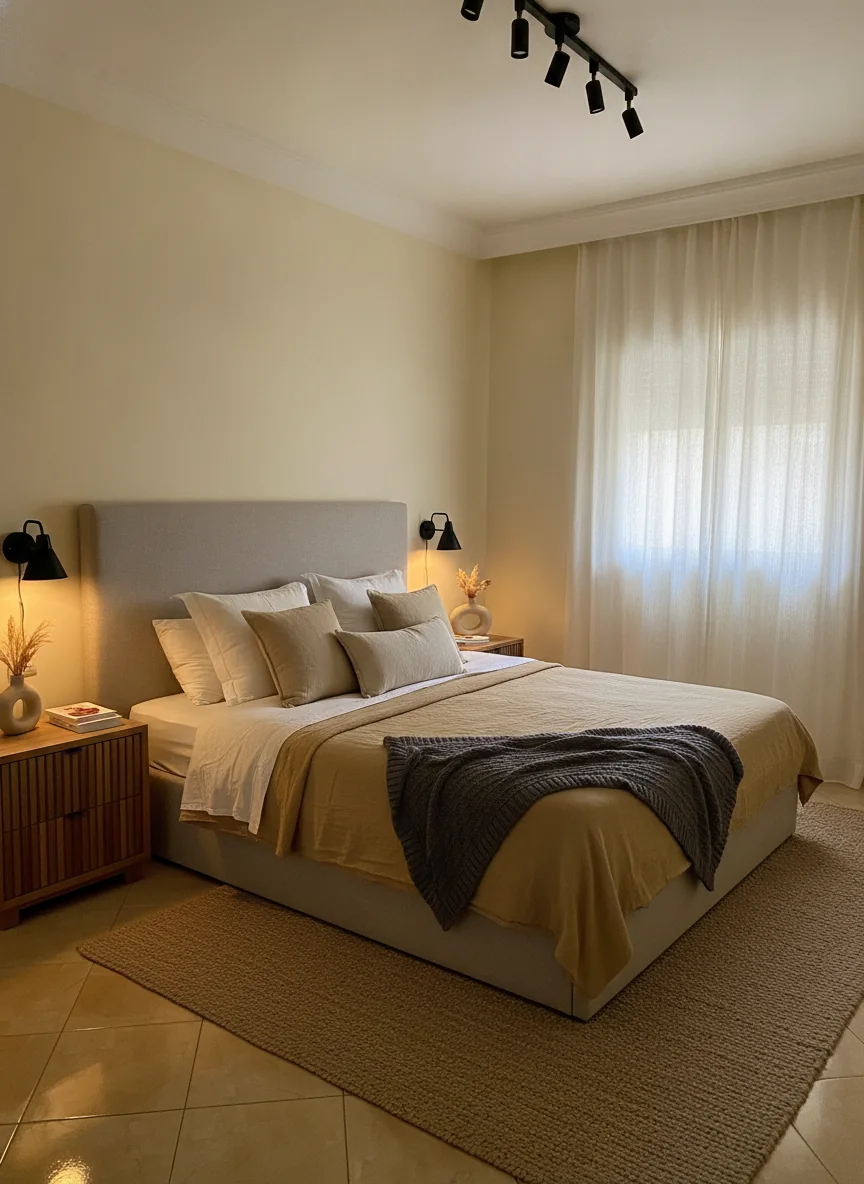
An empty bedroom staged in a neutral modern style, after After: Modern Haven
Neutral styles like Modern Haven let buyers picture their own things in the room.

Stage honestly

  • Label every staged photo as virtually staged, and show the empty photo next to it.
  • Don’t hide defects: no rug over a damaged floor, no art over a crack.
  • Check that walls, windows, floor and views match the original before you publish.
  • Follow your MLS’s or portal’s rules; they differ by region.

More on the rules in our virtual staging glossary entry.

Frequently asked questions

Can I use virtually staged photos in a listing?

Yes, as long as you disclose it. Many MLSs and real estate boards require virtually staged photos to be labeled, and showing the empty photo alongside is good practice. In the US, Article 12 of the NAR Code of Ethics requires a true picture in advertising.

Which plan do I need for listings?

Listings are commercial use, which is included in the Pro plan ($25 a month, 100 redesigns) and on Enterprise, with pricing based on your volume (email raji@tigmi.co). The free plan and Basic are for personal use.

Does staging change the room itself?

It shouldn’t, and Tigmi is built to keep the walls, windows, doors and floor of your photo while adding furniture and decor. Always compare the result with the original before publishing; if anything structural changed, run it again.

How long does it take?

A couple of minutes per photo, and you can re-run a room in another style if the first one isn’t right.

What photos work best?

Empty, clean rooms photographed in daylight from a corner, with the camera level. Wide enough to show two walls and the floor, but not ultra-wide.

Stage your next listing

Upload an empty room photo and see it furnished in a couple of minutes. Your first 3 redesigns each month are free.

Ready in a couple of minutes • Watermark-free on paid plans • Private uploads