Room Ideas & Styling Playbook
Room-by-room inspiration and styling moves you can deploy fast.
First render free • Uploads stay private. Delete any time.
- Instant results
- Room Lock™
- Light Lock™
- Style Engine™

How it works
Three simple steps to transform your space
Upload photo
Drag & drop your room photo or click to browse
Pick style
Choose from 16 designer-curated styles
Get results
Download photorealistic redesign in minutes
See the transformation
Real rooms, real results. Our AI preserves your architecture while creating stunning makeovers.
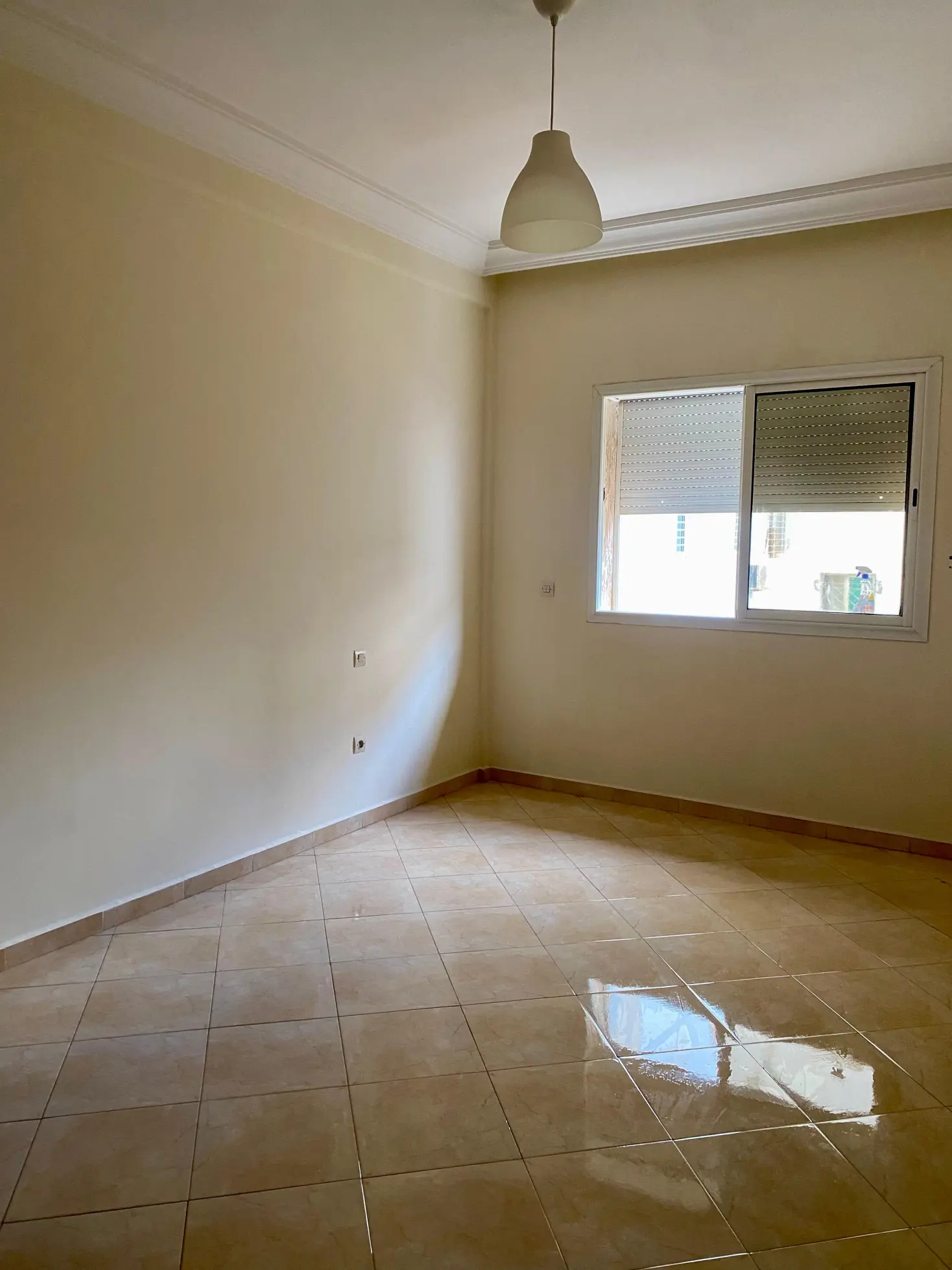
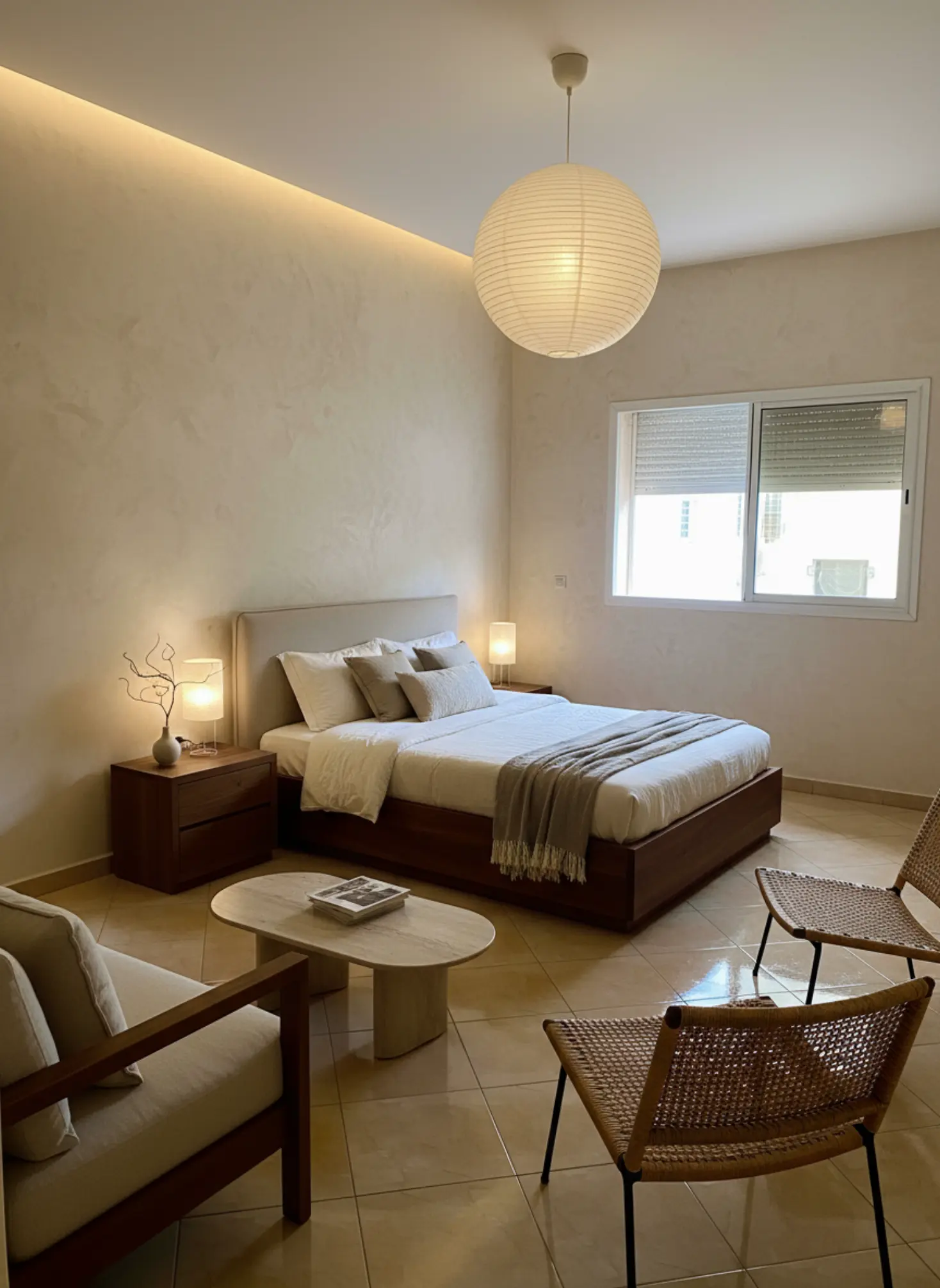
Bedroom Redesign: Transformed a cluttered bedroom into a modern, minimalist haven.
What our AI preserves
- ✓
Room proportions
Ceiling height, wall dimensions, and spatial relationships
- ✓
Natural lighting
Window placement, light direction, and shadows
- ✓
Architectural details
Moldings, built-ins, and structural elements
- ✓
Camera angle
Maintains your original perspective and framing
Ready to transform your space?
Upload your room photo and see the magic happen in minutes.
Try it free nowRoom Ideas & Styling Playbook
Use this hub to collect living room, bedroom, and kitchen ideas and build cohesive looks.
Room-by-room inspiration and styling moves you can deploy fast.
How to use this playbook
This playbook turns room ideas & styling playbook into decisions you can test in Tigmi. Use it to align mood, palette, and layout before you buy or renovate, then share it as a short brief with anyone involved.
Start broad with atmosphere and lighting, then narrow into materials, furniture scale, and finishing touches. Save your best Tigmi renders as checkpoints so the direction stays consistent from idea to execution.
Playbook snapshot
Use these signals to keep room ideas & styling playbook decisions aligned across layout, palette, and budget.
- Goal: write the room story in one clear sentence.
- Palette: pick one base, one accent, one contrast.
- Materials: commit to a hero surface and one tactile fabric.
- Lighting: plan daytime + evening layers before shopping.
- Layout: keep one clean circulation path at all times.
- Styling: choose one hero moment and repeat its cues.
What you'll learn
- Room-by-room layouts that balance function and beauty.
- Styling moves for small and large spaces.
- How to brief Tigmi for fast before/after options.
Playbook checklist
Use this checklist to keep room ideas & styling playbook decisions aligned from moodboard to final render.
- Define the room goal and the feeling you want visitors to have.
- Pick a primary palette plus two supporting accents.
- Lock one hero material and one hero texture for the space.
- Confirm lighting layers: ambient, task, and accent.
- Set scale rules for seating, storage, and walkways.
- Render three variations in Tigmi to compare room ideas & styling playbook directions.
- Translate the best render into a shopping or renovation list.
- Collect feedback and update the prompt once, not ten times.
- Keep a running list of measurements so the layout stays realistic.
- Decide one hero moment to anchor the styling story.
Prompt ideas for Tigmi
Start with these prompt angles, then refine them with your materials and lighting notes.
- room ideas & styling playbook, warm neutral base, layered textures, soft daylight, editorial styling.
- room ideas & styling playbook, high-contrast palette, sculptural lighting, minimal clutter, gallery vibe.
- room ideas & styling playbook, natural materials, calm layout, cozy seating, golden-hour glow.
- room ideas & styling playbook, modern classic mix, brass accents, tailored textiles, hotel feel.
- room ideas & styling playbook, airy layout, open sightlines, matte finishes, curated art.
- room ideas & styling playbook, tonal palette, plush textiles, soft curves, serene mood.
- room ideas & styling playbook, bold focal wall, layered lighting, clean sightlines, premium feel.
Top topics to explore
- Living Room Decor Ideas
- Living Room Furniture Ideas
- Lounge Decor Ideas
- Interior Ideas For Living Room
- Living Room Style Ideas
- Living Room Ideas
- Living Room Interior Design Ideas
- Living Room Design Ideas
- Modern Living Room Ideas
- Living Room Inspiration
- Bedroom Design Ideas
- Home Decor Ideas Living Room
Market playbooks
Common pitfalls to avoid
Avoid these missteps so room ideas & styling playbook outcomes stay polished and intentional.
- Mixing too many styles at once; keep one hero direction.
- Ignoring lighting direction; the same palette shifts under different light.
- Over-scaling furniture; keep circulation clear in every layout.
- Adding decor before the base finishes are locked.
- Letting every surface compete; leave one area calm.
- Skipping measurements and ending up with cramped sightlines.
- Buying everything at once instead of staging in layers.
How to use Tigmi
-
1
Pick a room and gather 2-3 reference images.
-
2
Use a Tigmi preset close to your goal and lock key elements.
-
3
Export top renders and turn them into a shopping checklist.
Playbook FAQs
Which playbook should I start with?
Start with the pillar that matches your goal (tools, room ideas, staging). Create one Tigmi render, then branch into related topics.
Do I need professional design software?
No. Tigmi renders plus this playbook give you a clear direction, then you can shop or brief a contractor with confidence.
How often should I update my prompts?
Update whenever you change layout, palette, or lighting. Keep older renders as references so the direction stays steady.
Ready to create?
Start styling with Tigmi today.
Start with Tigmi →Explore more with Tigmi
- AI Interior Design Studio — Overview of the core room redesign workflow.
- AI Room Makeover — Room-by-room transformations with presets and Room Lock.
- AI Virtual Staging — Stage empty spaces for listings in minutes.
- Style Gallery — Browse 16+ style presets and example renders.
- Pricing & Plans — Compare free and pro tiers before you start.
Ready to transform your space?
Upload your room photo and see the magic happen in minutes.
Upload a room photo and get a designer level makeover in minutes
Try your room free