Tigmi.
Trusted by Designers, Agents and Homeowners

Home Office & Productivity Design

Design offices that feel calm, focused, and camera-ready.

1-2 mintypical render time
100%architecture preserved
2,847projects completed

First render free • Uploads stay private. Delete any time.

  • Instant results
  • Room Lock™
  • Light Lock™
  • Style Engine™
Client photoAI Decor Studio
Before interior
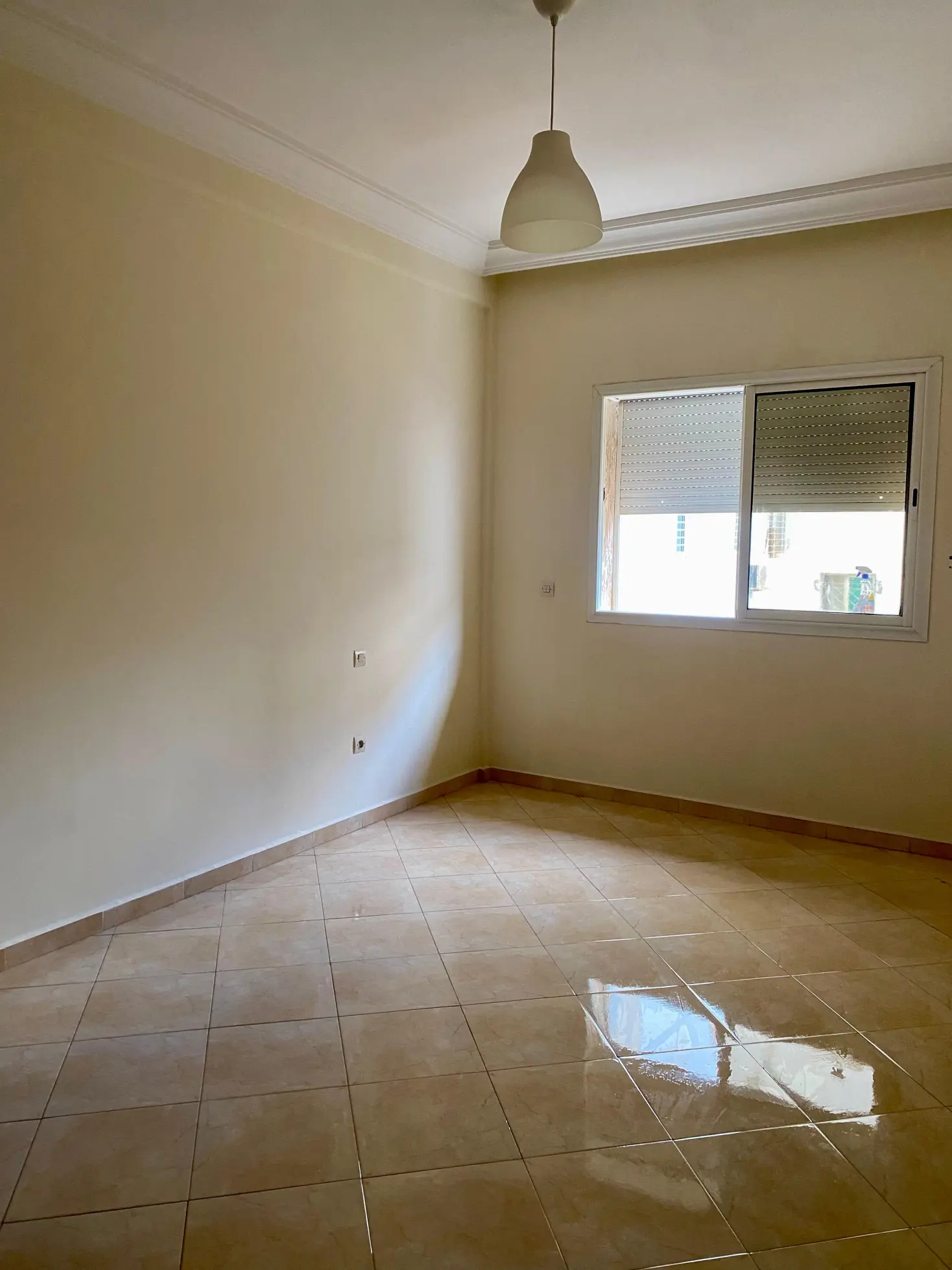
BeforeOriginal room
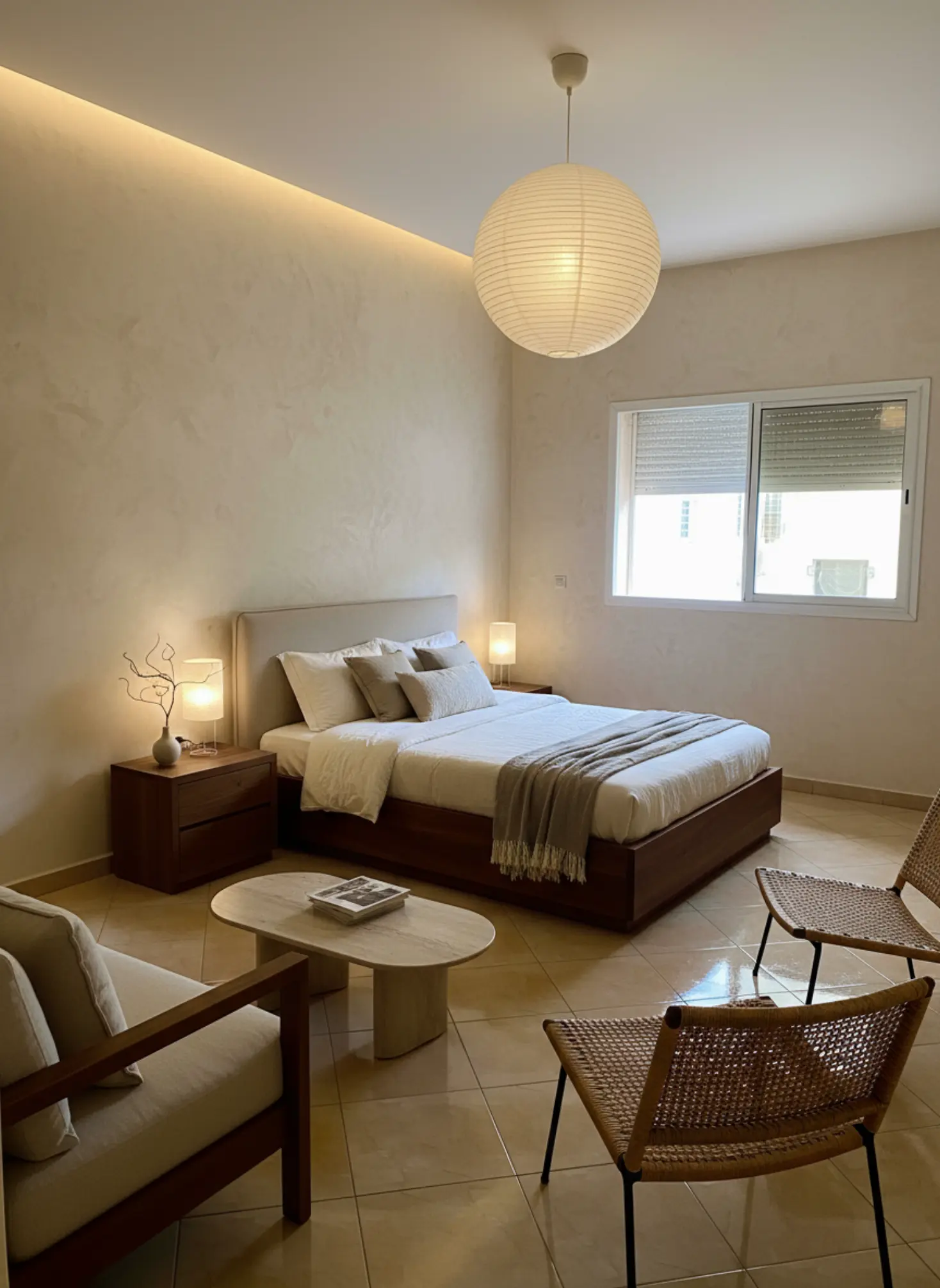
AfterAI redesigned

How it works

Three simple steps to transform your space

1

Upload photo

Drag & drop your room photo or click to browse

2

Pick style

Choose from 16 designer-curated styles

3

Get results

Download photorealistic redesign in minutes

See the transformation

Real rooms, real results. Our AI preserves your architecture while creating stunning makeovers.
Before makeover
After makeover
Before makeover
After makeover

Bedroom Redesign: Transformed a cluttered bedroom into a modern, minimalist haven.

What our AI preserves

  • Room proportions

    Ceiling height, wall dimensions, and spatial relationships

  • Natural lighting

    Window placement, light direction, and shadows

  • Architectural details

    Moldings, built-ins, and structural elements

  • Camera angle

    Maintains your original perspective and framing

Ready to transform your space?

Upload your room photo and see the magic happen in minutes.

Try it free now

Home Office & Productivity Design

Home Office & Productivity Design is no longer a niche topic; it sits at the center of how many people work, think, and live every day. A well-planned workspace can sharpen focus, reduce visual noise, and make long hours feel less draining, while a poor setup quietly chips away at your energy and concentration. That is why this page exists: to give you a clear, practical, design-led resource for building a home office that actually supports the way you work. From layout and lighting to ergonomics, storage, acoustics, and style, we cover the decisions that shape both performance and comfort.

Design offices that feel calm, focused, and camera-ready.

Understanding Home Office & Productivity Design

Home Office & Productivity Design is the practice of shaping a workspace so it supports sustained focus, physical comfort, and clear mental boundaries between work and home life. It goes far beyond choosing a desk and chair; it includes circulation, sightlines, daylight control, task lighting, cable management, acoustic softness, and storage that keeps distractions out of view. The best home offices feel calm the moment you sit down because every element has a job to do. A 140–160 cm wide desk, a chair with proper lumbar support, and a monitor positioned so the top third sits near eye level can change how your body feels by the end of the day. Material choice matters too: white oak, walnut veneer, wool rugs, linen curtains, and cork pinboards each influence the room’s tactile and visual rhythm. Color does real work here as well; muted greens, warm whites, clay, and soft graphite often reduce glare and create a steadier backdrop for deep work. The goal is not to make the room look like an office in the corporate sense, but to design a space that helps you think more clearly and move through the day with less friction.

Current Home Office & Productivity Design trends are moving toward warmer, more residential spaces that feel integrated with the rest of the home rather than isolated from it. You see this in the rise of Japandi Calm, Nordic Light, and modern organic interiors, where pale woods, textured plaster, bouclé seating, and low-sheen finishes replace glossy surfaces and harsh contrasts. There is also a stronger focus on wellness-led details: circadian-friendly lighting, acoustic panels wrapped in fabric, standing desks with cleaner profiles, and concealed storage that keeps paperwork from visually cluttering the room. Market shifts are important too, especially as more people split time between home and office, which has pushed design toward flexible layouts that can shift from solo focus to video calls or client meetings. Smaller homes have made multi-use solutions more sophisticated, such as foldaway desks, built-in joinery, and compact storage towers that preserve floor area. Sustainability is influencing material selection as well, with increased demand for FSC-certified timber, low-VOC paints, recycled PET felt, and long-life furniture that can be reconfigured rather than replaced. The result is a home office that feels softer, smarter, and more adaptable than the traditional desk-and-task-chair formula.

AI and technology are changing Home Office & Productivity Design by making it much easier to test decisions before you spend money or commit to construction. Instead of guessing how a darker wall color, a larger desk, or a different style direction will feel in your actual room, you can preview several options against your existing architecture, window placement, and natural light. That matters because a home office is deeply dependent on context; a north-facing room with cool light behaves very differently from a sunlit alcove with afternoon glare. Tigmi helps you explore these ideas in your real space while preserving the walls, windows, and light conditions that make the room uniquely yours. You can compare style directions side by side, from Modern Haven to Japandi Calm, and see how each one affects the mood, perceived spaciousness, and visual discipline of the room. This is especially useful for homeowners trying to avoid expensive mistakes, designers developing concepts faster, and real estate agents staging workspaces that help buyers imagine a productive lifestyle. AI does not replace design judgment, but it gives you a faster, clearer way to make better choices with less risk.

How to use this playbook

This playbook turns home office & productivity design into decisions you can test in Tigmi. Use it to align mood, palette, and layout before you buy or renovate, then share it as a short brief with anyone involved.

Start broad with atmosphere and lighting, then narrow into materials, furniture scale, and finishing touches. Save your best Tigmi renders as checkpoints so the direction stays consistent from idea to execution.

Playbook snapshot

Use these signals to keep home office & productivity design decisions aligned across layout, palette, and budget.

  • Goal: write the room story in one clear sentence.
  • Palette: pick one base, one accent, one contrast.
  • Materials: commit to a hero surface and one tactile fabric.
  • Lighting: plan daytime + evening layers before shopping.
  • Layout: keep one clean circulation path at all times.
  • Styling: choose one hero moment and repeat its cues.

What you'll learn

  • How to plan a home office layout that supports focus, movement, and screen comfort.
  • How to choose materials, colors, and finishes that reduce visual fatigue and feel good to live with.
  • How to balance productivity needs with the rest of your home so the room does not feel cold or disconnected.
  • How to identify the right lighting, storage, and acoustic solutions for your specific space.
  • How to test different design directions in your actual room before buying furniture or repainting.

Playbook checklist

Use this checklist to keep home office & productivity design decisions aligned from moodboard to final render.

  • Define the room goal and the feeling you want visitors to have.
  • Pick a primary palette plus two supporting accents.
  • Lock one hero material and one hero texture for the space.
  • Confirm lighting layers: ambient, task, and accent.
  • Set scale rules for seating, storage, and walkways.
  • Render three variations in Tigmi to compare home office & productivity design directions.
  • Translate the best render into a shopping or renovation list.
  • Collect feedback and update the prompt once, not ten times.
  • Keep a running list of measurements so the layout stays realistic.
  • Decide one hero moment to anchor the styling story.

Prompt ideas for Tigmi

Start with these prompt angles, then refine them with your materials and lighting notes.

  • home office & productivity design, warm neutral base, layered textures, soft daylight, editorial styling.
  • home office & productivity design, high-contrast palette, sculptural lighting, minimal clutter, gallery vibe.
  • home office & productivity design, natural materials, calm layout, cozy seating, golden-hour glow.
  • home office & productivity design, modern classic mix, brass accents, tailored textiles, hotel feel.
  • home office & productivity design, airy layout, open sightlines, matte finishes, curated art.
  • home office & productivity design, tonal palette, plush textiles, soft curves, serene mood.
  • home office & productivity design, bold focal wall, layered lighting, clean sightlines, premium feel.

Top topics to explore

Market playbooks

Common pitfalls to avoid

Avoid these missteps so home office & productivity design outcomes stay polished and intentional.

  • Choosing a desk that is too large for the room, which blocks circulation and makes the space feel mentally crowded before you even sit down.
  • Prioritizing style over light control, a mistake that often leads to glare on screens, washed-out colors, and a workspace that feels tiring by midafternoon.
  • Using open shelving for too many visible items, which creates background noise and makes it harder to maintain focus during work hours.
  • Ignoring acoustics in favor of aesthetics, especially in rooms with hard floors and bare walls where sound bounces and video calls feel harsh.

Expert Insight

The best home offices often use a two-zone mindset: one zone for focused work and one smaller zone for overflow tasks, printing, or storage. Even in a single room, that separation helps your brain switch modes more easily, which is why a compact filing cabinet, side credenza, or reading chair can be more valuable than adding another decorative object. If you are sourcing pieces, prioritize a desk surface with a forgiving texture such as oak veneer or matte laminate, because it hides daily wear better than high-gloss finishes.

How to use Tigmi

  1. 1

    Upload a photo of your room in Tigmi and lock the architecture so the walls, windows, and natural light stay intact while you explore office-focused style presets.

  2. 2

    Try a few presets such as Japandi Calm, Nordic Light, or Modern Haven to compare how each one changes the room’s mood, clarity, and perceived order.

  3. 3

    Use before/after comparisons to judge practical details like desk scale, storage placement, chair presence, and whether the room still feels open enough to think in.

  4. 4

    Save the strongest option, then refine it with real-world measurements for furniture, lighting, and cable routing before you purchase anything.

Playbook FAQs

What is the most important principle in Home Office & Productivity Design?

The most important principle is to design for focus first, then layer in style. That means getting the desk size, chair ergonomics, lighting, and storage right before you think about decorative details. A beautiful workspace that causes glare, neck strain, or visual clutter will never perform well.

How do I make a small room work as a productive home office?

Use a compact desk, vertical storage, and a tight color palette to keep the room visually calm. A wall-mounted desk, shallow shelving, and a task light with an adjustable arm can make even a 2 m by 2.5 m room feel workable. Keep the floor clear wherever possible so the space reads as open rather than cramped.

What colors are best for a home office?

Muted, low-glare colors usually work best because they support concentration without feeling sterile. Soft whites, warm greiges, sage green, clay, and dusty blue are reliable choices, especially when paired with natural wood and matte finishes. If you use a stronger tone, keep it on one wall or in smaller accents so the room stays balanced.

How can I improve productivity without buying all new furniture?

Start by improving the room’s layout, lighting, and visual order before replacing furniture. Moving the desk away from glare, adding a proper task lamp, hiding cables, and using closed storage can make a bigger difference than a full makeover. Even swapping a busy chair cover or rug for a quieter material can change how focused the room feels.

Can Tigmi help me test home office ideas before I commit?

Yes, Tigmi lets you explore home office concepts in your actual room before you spend money on changes. You can compare different styles, see how the existing architecture stays intact, and judge which layout feels most productive. That makes it easier to avoid expensive mistakes and choose a direction with confidence.

Ready to create?

If you want to see how Home Office & Productivity Design could work in your own room before you commit, try Tigmi and compare ideas against your real space.

Start with Tigmi →

Explore more with Tigmi

Ready to transform your space?

Upload your room photo and see the magic happen in minutes.

Try it free now

Upload a room photo and get a designer level makeover in minutes

Try your room free