Three ways to preview a wall color in your own room: paint brand visualizers, AI room redesigns and real samples, with what each gets right and wrong.
- ✓ A paint brand's visualizer shows one color on your walls and keeps everything else. An AI redesign shows a whole room around a color: furniture, fabrics and light. Neither shows the true color.
- ✓ Screens aren't paint. Narrow the list on screen, then test two or three real samples in your room.
- ✓ Benjamin Moore's advice: two coats of sample, and look at it from morning to evening, in daylight and lamp light.
Paint is the cheapest change in a room and one of the easiest to get wrong: the swatch looked warm in the store and the wall looks grey at home. A paint color visualizer helps you narrow the list before you buy samples. There are two kinds worth knowing, and they answer different questions.
Three ways to preview a wall color
| Paint brand visualizer | AI room redesign | Real samples | |
|---|---|---|---|
| What changes | Only the walls you pick | The whole room: walls, furniture, decor | One patch of wall |
| Real paint colors | Yes, from the brand’s range | No, colors are generated | Yes |
| Shows the color in your light | Partly, from your photo | Partly, from your photo | Yes |
| Best for | ”Which of these 5 greens?" | "What kind of room goes with green walls?” | The final decision |
| Cost | Free | Free to try | A few dollars per sample |
1. A paint brand’s visualizer: one color, everything else kept
Paint brands have their own tools. Sherwin-Williams’ Color Visualizer lets you pick colors and “choose the scene that resembles the walls in your space or add a photo to virtually paint” (Sherwin-Williams). Other brands have similar tools. Because they only recolor the walls, they’re the right tool when the furniture stays and the question is just which shade. Their colors are real products, so the name on screen is the can you’ll buy.
2. An AI redesign: a whole room around a color
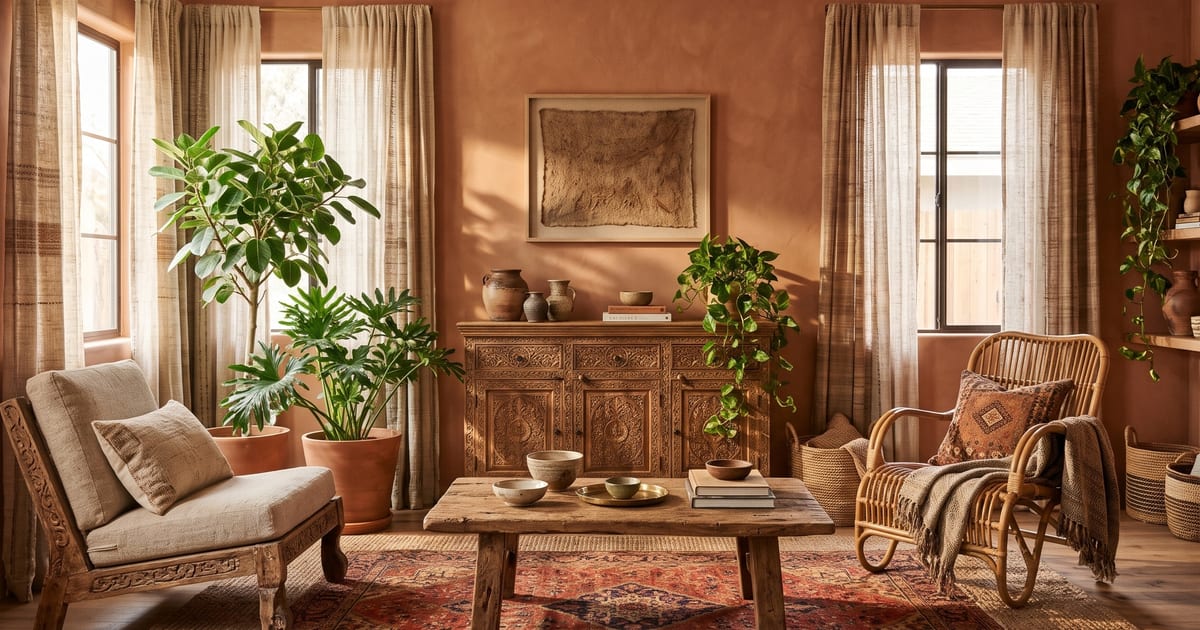
An AI room redesign answers a different question: what would this room look like as a terracotta room? It repaints the walls and changes the furniture, fabrics and light to match. Here, a white-walled living room with orange curtains became a terracotta room in Artisanal Boho:
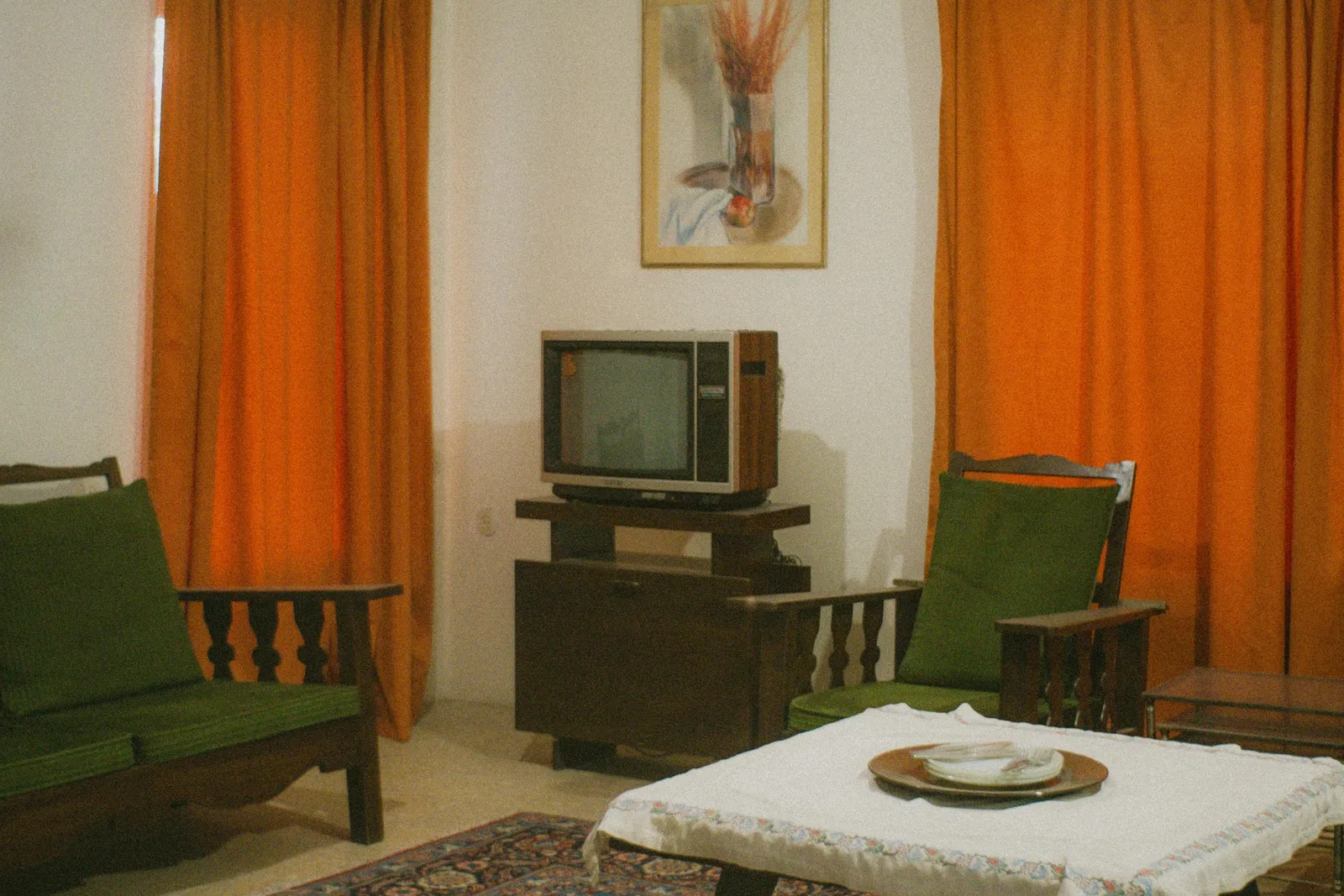
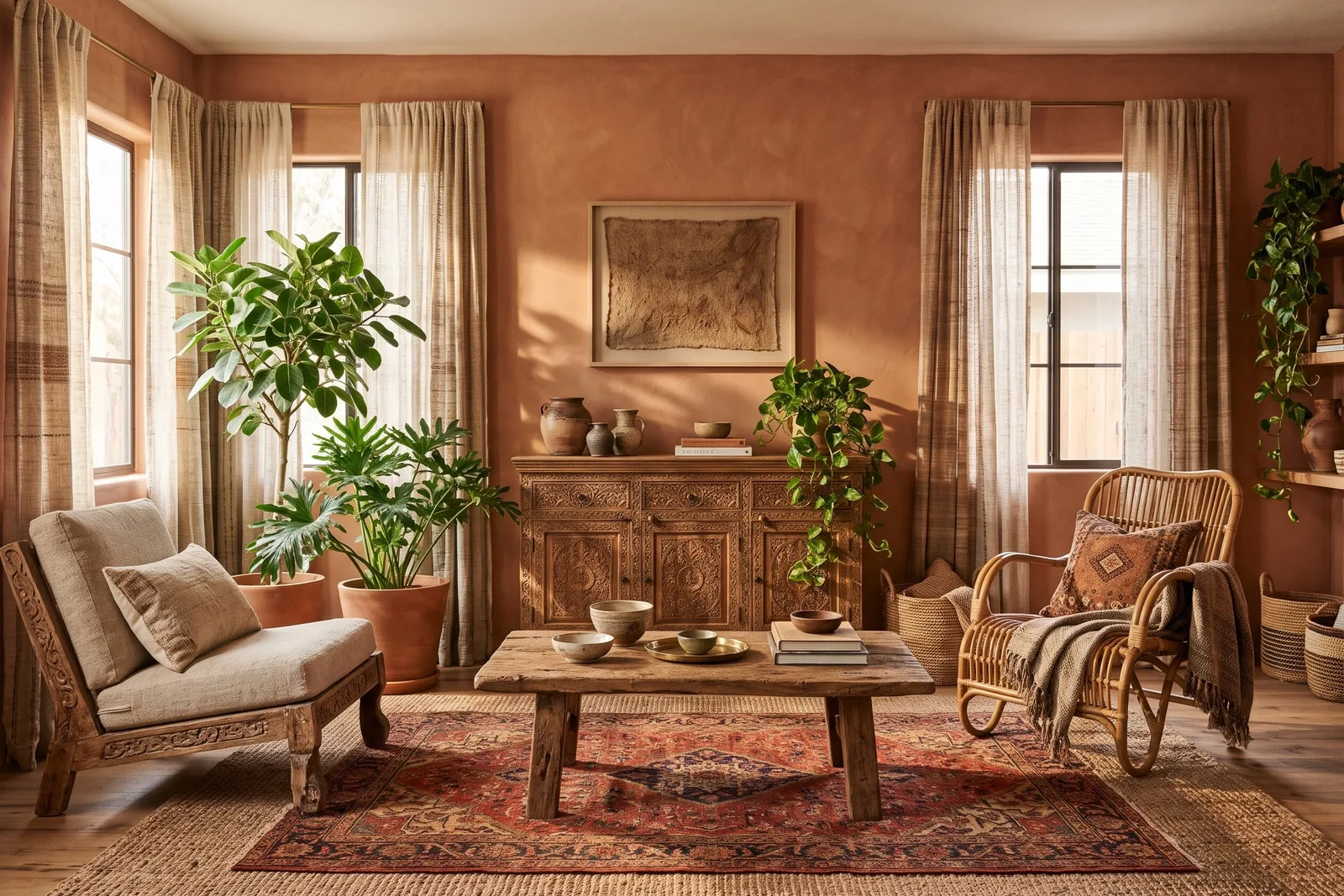
Photo: mdreza jalali on Unsplash. Redesigned with Tigmi (Artisanal Boho style, paid-plan settings), not retouched.
Notice what else happened: the curtains hid the walls in the original photo, so the AI imagined the windows behind them. That’s the trade-off. An AI redesign is great for seeing a mood, and it’s not a paint test, because everything around the wall changed too and the color isn’t a paint reference.
A darker example: a builder-grade grey half bath, redesigned in Loft Industrial with charcoal walls and dark vertical tile. Everything else is where it was, down to the towel bar.
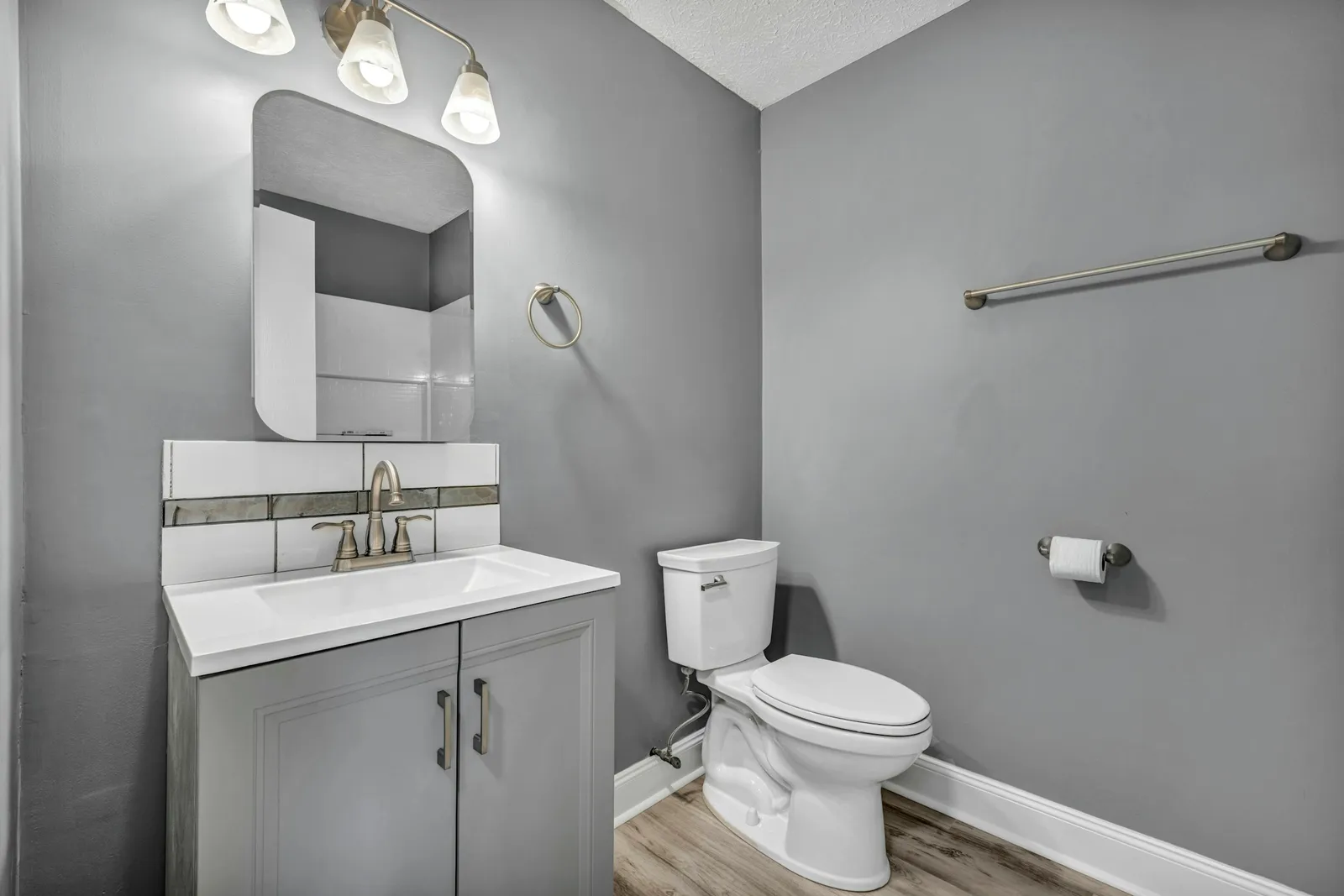
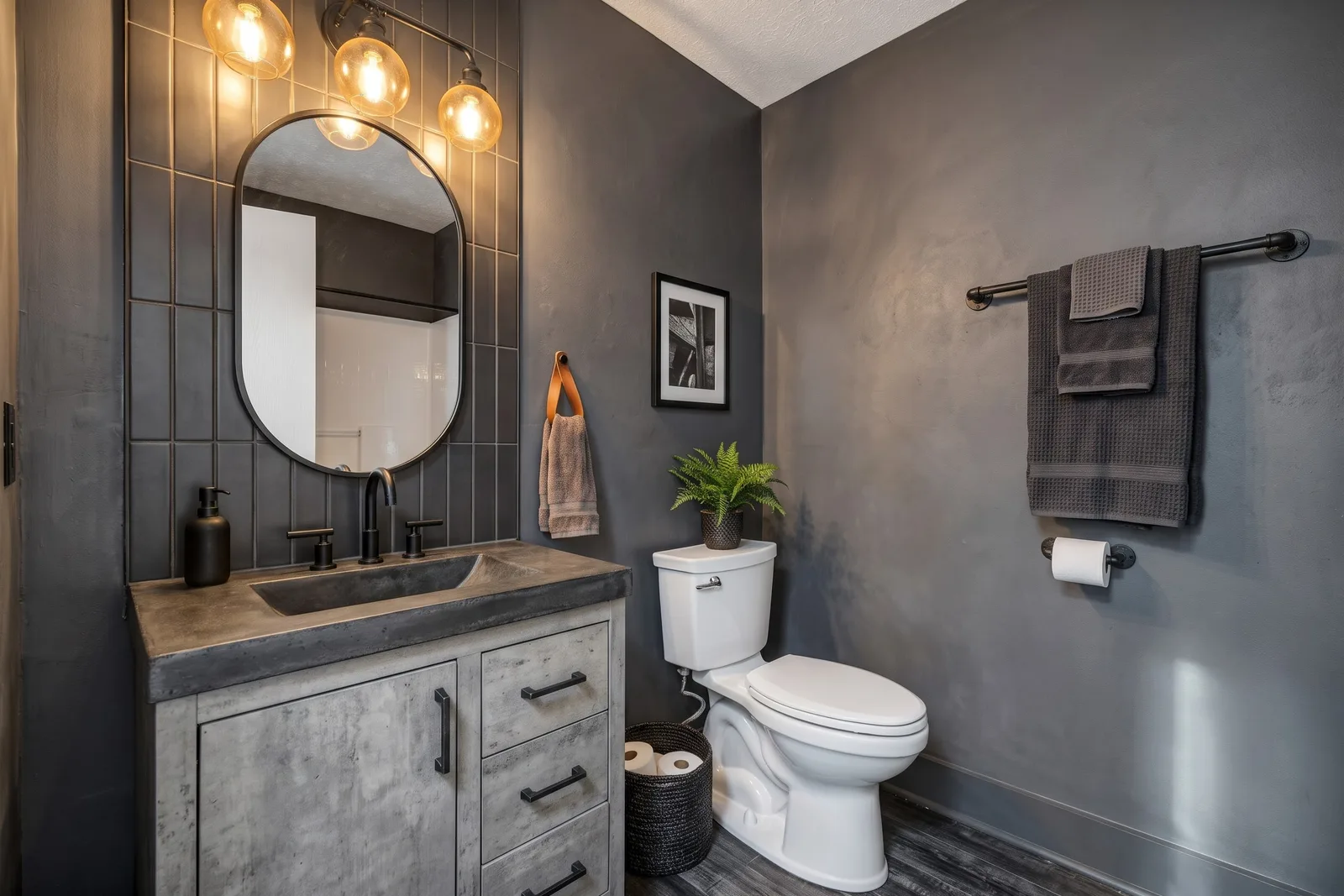
Photo: Josh Lemmon on Unsplash. Redesigned with Tigmi (Loft Industrial style, paid-plan settings), not retouched.
To steer the wall color in Tigmi, write it in your notes (“sage green walls”, “warm white walls, no wallpaper”). The furniture and decor will still change with the style: Tigmi has no paint-only mode, so for a pure paint test use a brand visualizer.
3. Real samples: the only true answer
Every screen shows emitted light; paint reflects the light in your room. So the last step is always physical. Benjamin Moore’s guidance (Benjamin Moore):
- Paint enough: one 8 oz sample covers about a 2 × 2 ft area in two coats. Brush out at least two coats for an accurate color.
- Move it around: paint a white foam board, or use a peel-and-stick sample, and try it on each wall, including dark corners.
- Look all day: test “from morning to evening, under both natural and artificial lighting conditions”.
- Isolate the chip: hold paint chips up against the wall, on white paper, so the current wall color doesn’t skew them.
LRV: the number that predicts how dark a color will look
Paint brands publish a Light Reflectance Value for each color: how much light it reflects, on a scale from 0 (black) to 100 (white). Benjamin Moore’s Desert Light (1004) has an LRV of 57.9 (Benjamin Moore); its brightest whites are near the top of the scale. Two practical rules follow:
- In a room with little daylight, a mid-tone will look darker than the chip. Look one step lighter, or accept a moodier room.
- In a bright room, a very high LRV white can feel stark. Off-whites with a slightly lower value often look softer.
The LRV is printed on the chip or on the color’s page, so you can compare your shortlist before you buy samples.
A simple method that works
- Decide the mood first with an AI redesign of your room: light and airy, warm and earthy, dark and cozy.
- Pick 4 or 5 real colors in that family and try them in a brand visualizer on a photo of your walls.
- Check their LRV against how much daylight the room gets.
- Buy 2 or 3 samples and test them in two coats, on two walls.
- Look at them for a day, morning, afternoon and evening, then decide.
Try a new look on your room
Tigmi redesigns a photo of your room in one of 16 styles, in a couple of minutes, with your own notes, including the wall color you have in mind. Your first redesign each month is free, in 1K with a small watermark.
Related: accent colors and what they do, color palettes and how to use AI for interior design.
Tigmi Team
Product & EditorialThe people who build Tigmi, an AI tool that redesigns real rooms from a single photo. We write about what we learn testing styles, prompts and room photos every day.
Frequently Asked Questions
How can I see a paint color on my wall before painting?
Upload a photo of your room to a paint brand's visualizer, such as Sherwin-Williams' Color Visualizer, to try colors on your walls. Then buy samples of your top two or three and test them on the wall or on a white board, looking at them at different times of day.
Can AI repaint my room in a photo?
AI room redesign tools change the wall color as part of a whole new look, along with furniture and decor. That's useful for seeing which color suits a style. If you only want to change the paint and keep everything else, a paint brand visualizer is the better tool.
Why does paint look different on the wall than on screen?
Screens emit light and are calibrated differently, while paint reflects the light in your room, which changes with the direction of the windows, the time of day and your bulbs. That's why every tool, AI or not, is only a preview.
What is LRV in paint?
Light Reflectance Value: how much light a color reflects, on a scale from 0 (black) to 100 (white). Paint brands list it for each color; Benjamin Moore's Desert Light (1004) is 57.9. A low-LRV color will look darker in a room with little daylight.
How big should a paint sample be?
Benjamin Moore's 8 oz samples cover about a 2 × 2 ft area in two coats. Paint at least that much, or paint a white foam board you can move around the room.
Ready to see your room reimagined?
Upload a photo of your room and get a photorealistic redesign in a couple of minutes. Your first redesign each month is free.