What AI is good at in interior design and where it fails, plus a 7-step method that turns a photo of your room into choices you can measure, sample and buy.
- ✓ AI is very good at one part of interior design: showing what a room could look like, in several styles, in minutes. It doesn't measure, price or check what's buildable.
- ✓ The method that works: one good photo, one style with short notes, compare a few versions, then check what the AI changed before you trust it.
- ✓ Finish outside the image: measure, sample paint and materials, and get a quote for anything that touches plumbing, wiring or walls.
Using AI for interior design comes down to one thing it does very well: showing you what a room could look like, in your own space, in several styles, in a few minutes. That’s the part of a project that used to need a designer’s sketch or an afternoon of imagining. What AI doesn’t do is the rest: it doesn’t measure, it doesn’t price, and it doesn’t know whether the sink can move. The method below uses AI for what it’s good at and checks the rest.
What AI can and can’t do in interior design
| AI is good at | AI is not good at |
|---|---|
| Restyling a photo of your room in minutes | Exact sizes: nothing in the image is to scale |
| Comparing several styles on the same room | Knowing what’s behind walls (pipes, wiring, structure) |
| Furnishing an empty room for a listing or a plan | Prices, lead times and real stock |
| Palettes, materials and mood boards | Building rules, permits and safety |
| Breaking a blank-page block | Telling you which option suits how you live |
Designers use it the same way. In a 2025 Houzz survey of 722 design and construction firms, the designers who use AI mostly used it for admin and marketing; 34% used it for design work, “mostly early-stage visuals and mood boards” (Business of Home). In Mattoboard’s survey of 328 design professionals, visualization was the most common use, at 62%. Both surveys come from companies that sell design tools, so read them as a direction, not an exact count.
How to use AI for interior design, in 7 steps
1. Decide what you want the AI to do
Three different jobs, and they need different tools:
- Redesign a furnished room: keep the room, change the furniture, colors and decor. Use a photo redesign app.
- Furnish an empty room: for a move, a rental or a listing. This is virtual staging.
- Get ideas in words: a shopping list, a palette, “what goes with a green sofa”. A chat assistant is enough, and you can read how in our guide to ChatGPT for interior design.
2. Take one good photo of the whole room
The AI can only redesign what it sees. Stand in the doorway or a corner, hold the phone straight at chest height, and get at least two walls and the floor in the frame. Shoot in daylight with the lights on, and clear the clutter: a laundry basket or a pile of mail gets redrawn as part of the room. Each of our room pages has photo tips for that room, for example the kitchen or the bathroom.
3. Pick one style and add a few notes
One named style works better than a list of adjectives. Then add short notes about what matters to you: what stays (“keep the green sofa”), what must change (“no TV on the wall”) and one or two specifics (“oak floor, linen curtains”). Our interior design prompt guide has examples that work.
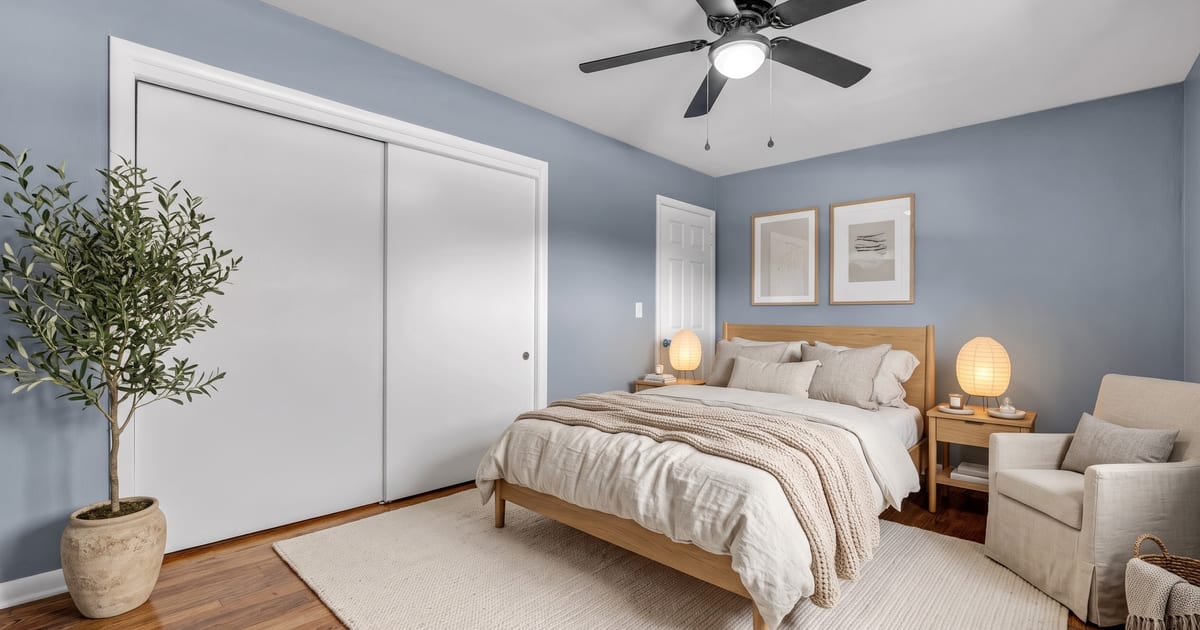
Here is an empty bedroom furnished from one photo. The closet, the ceiling fan and the door were kept; the bed, rug, lamps and armchair are new.
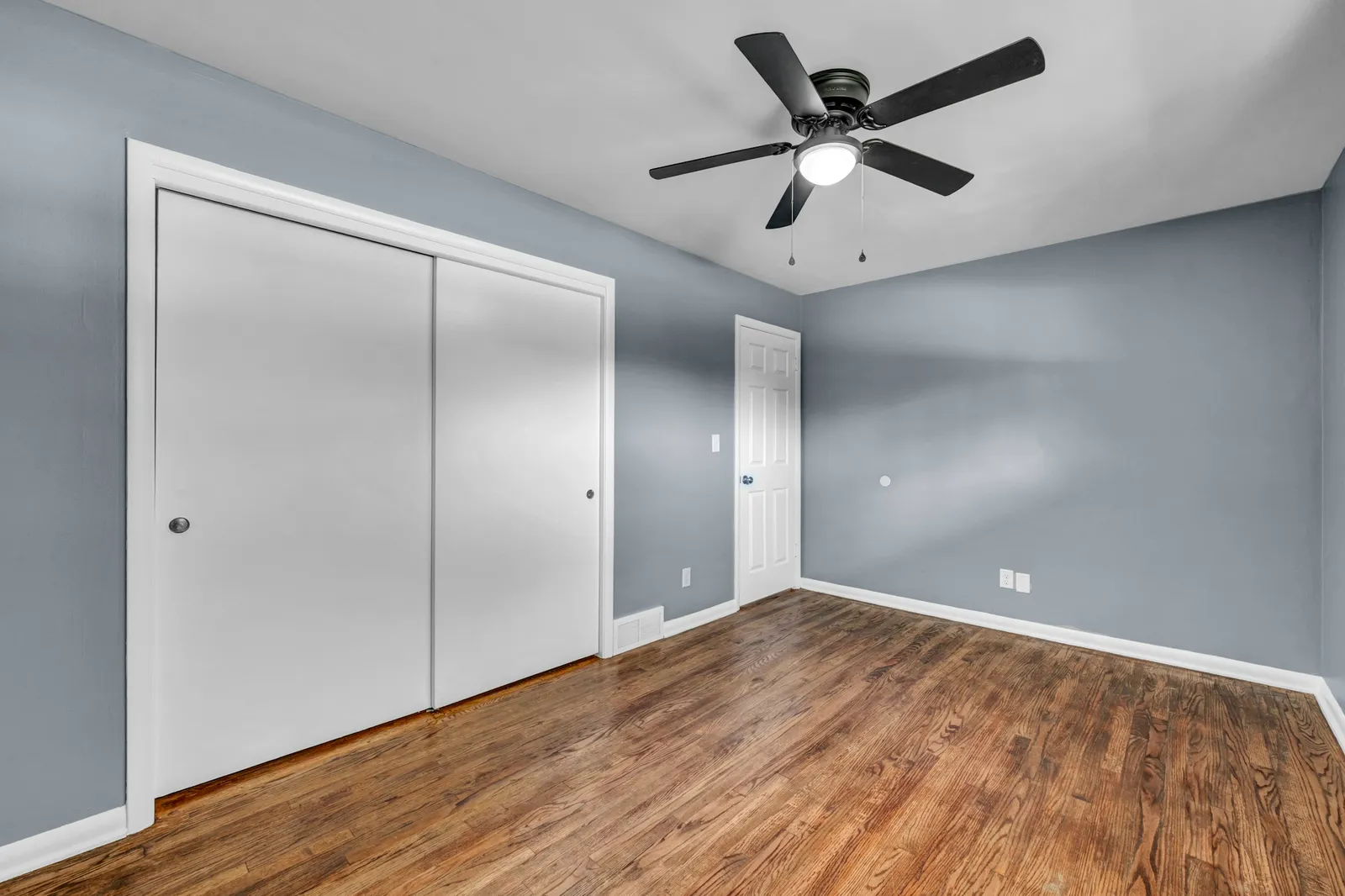
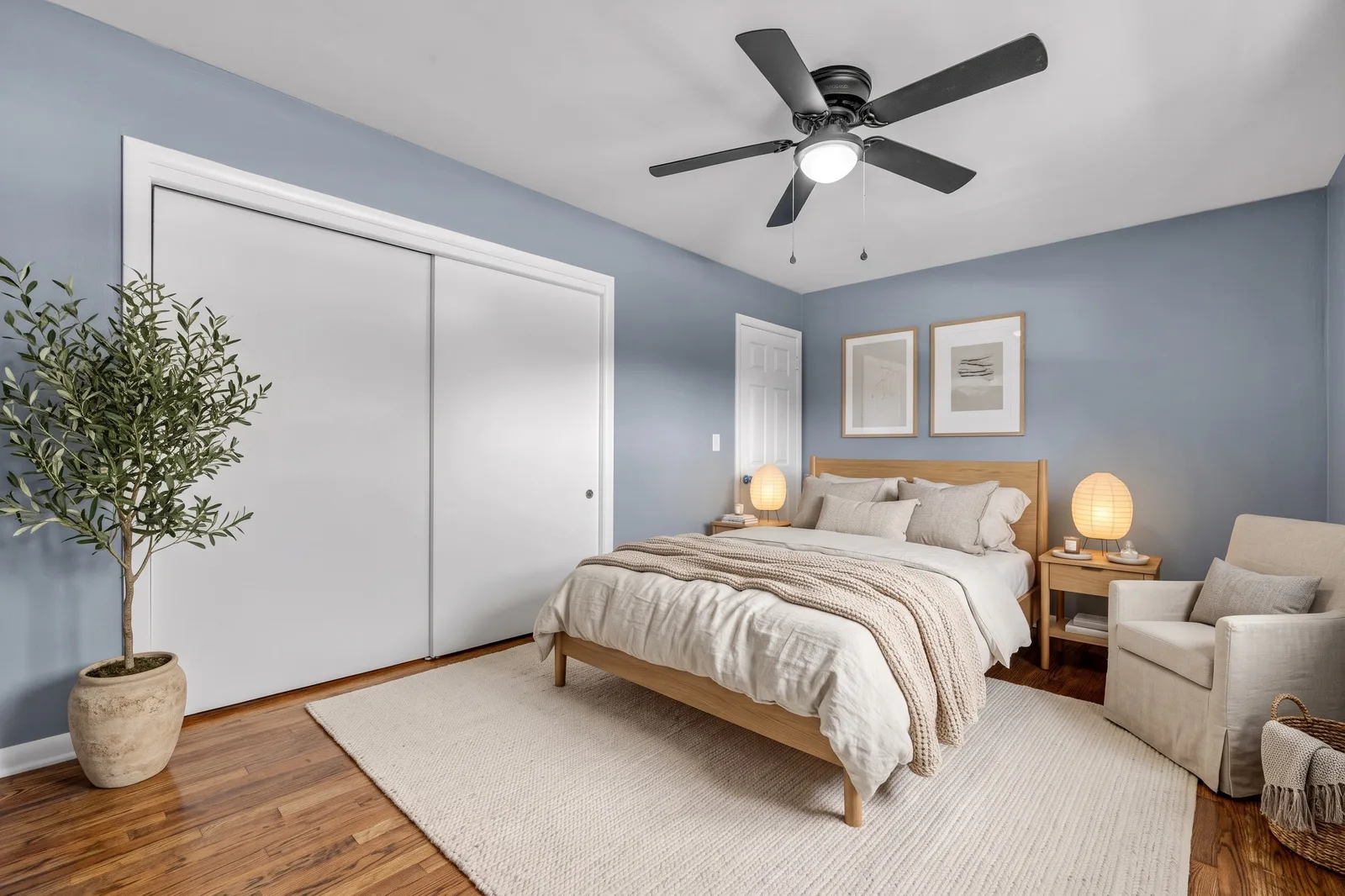
Photo: Josh Lemmon on Unsplash. Furnished with Tigmi (Nordic Light style, paid-plan settings), not retouched.
4. Compare a few styles on the same room
The first result is rarely the one. Make two or three versions of the same photo in different styles, so you’re comparing styles and not rooms. This is one empty bedroom, photographed on a phone, in two of seven styles:
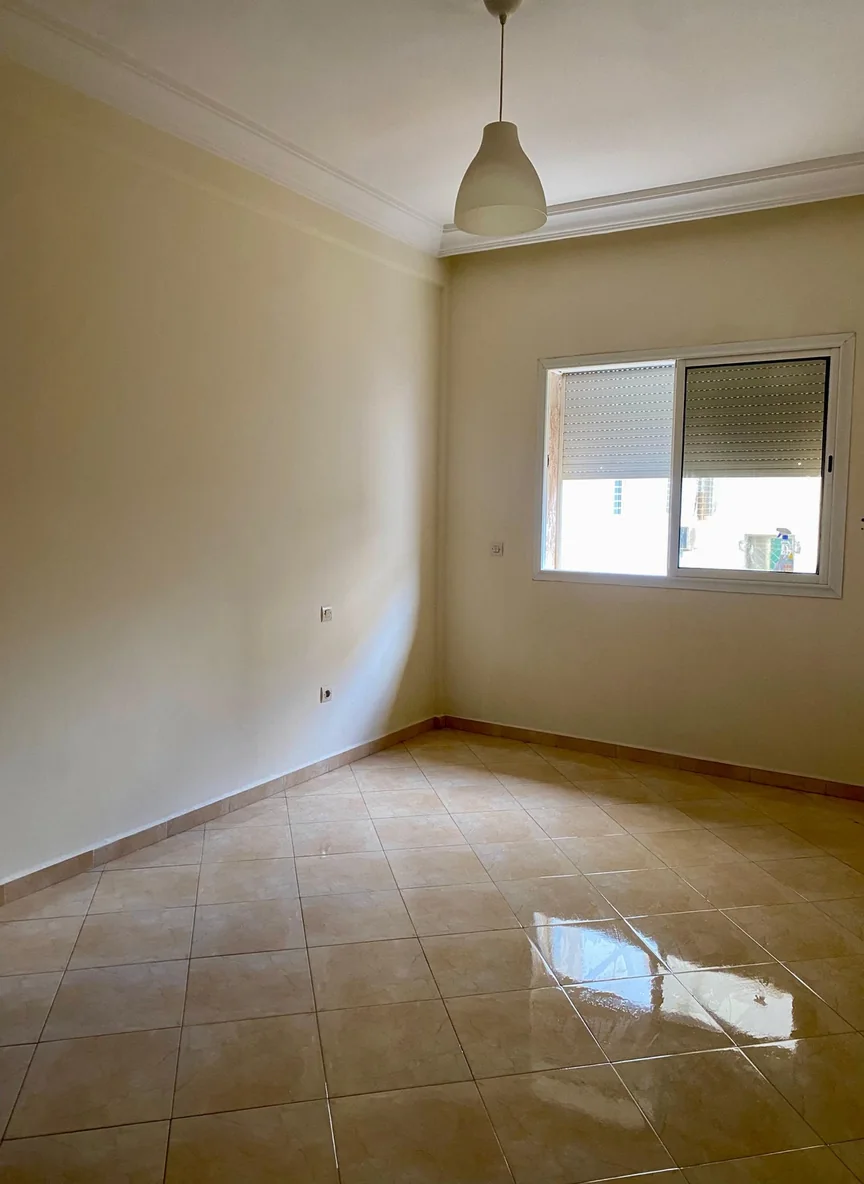
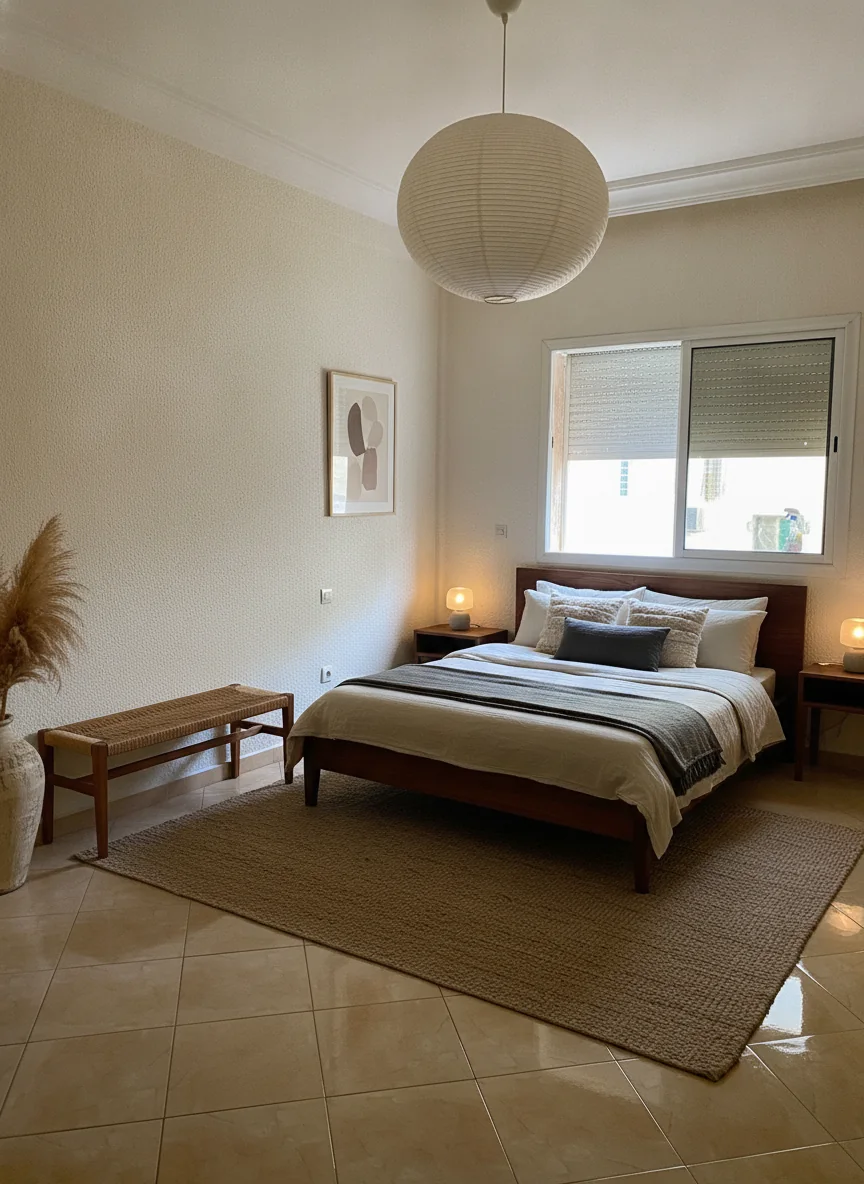
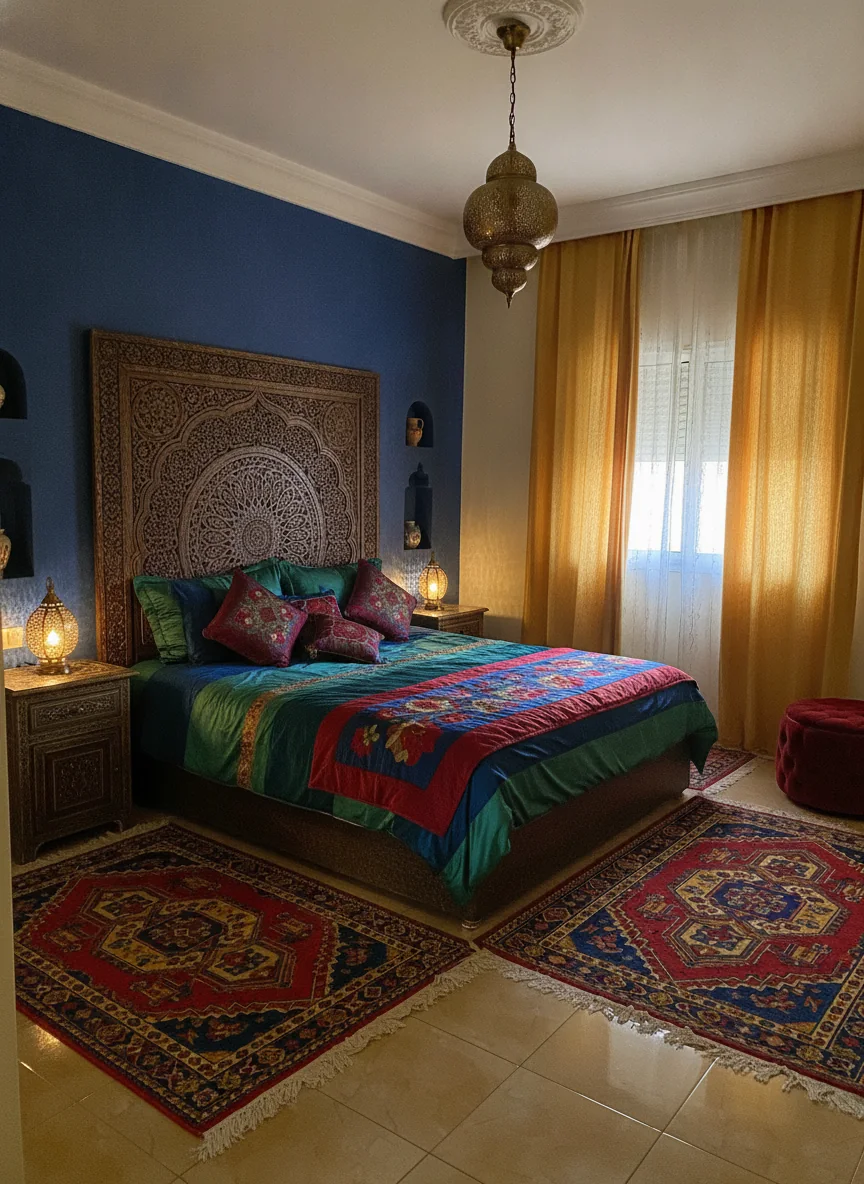
The floor, the window and the ceiling are the same in every version. That’s what makes the comparison useful: it shows which style suits this room. The bedroom page has all seven.
5. Check what the AI changed
This is the step most people skip. Put the before and after side by side and look at what moved that you didn’t ask for. In this kitchen, the window, the door and the place of the stove were kept, but the AI also added a sink under the window. In a real kitchen, that means new plumbing.
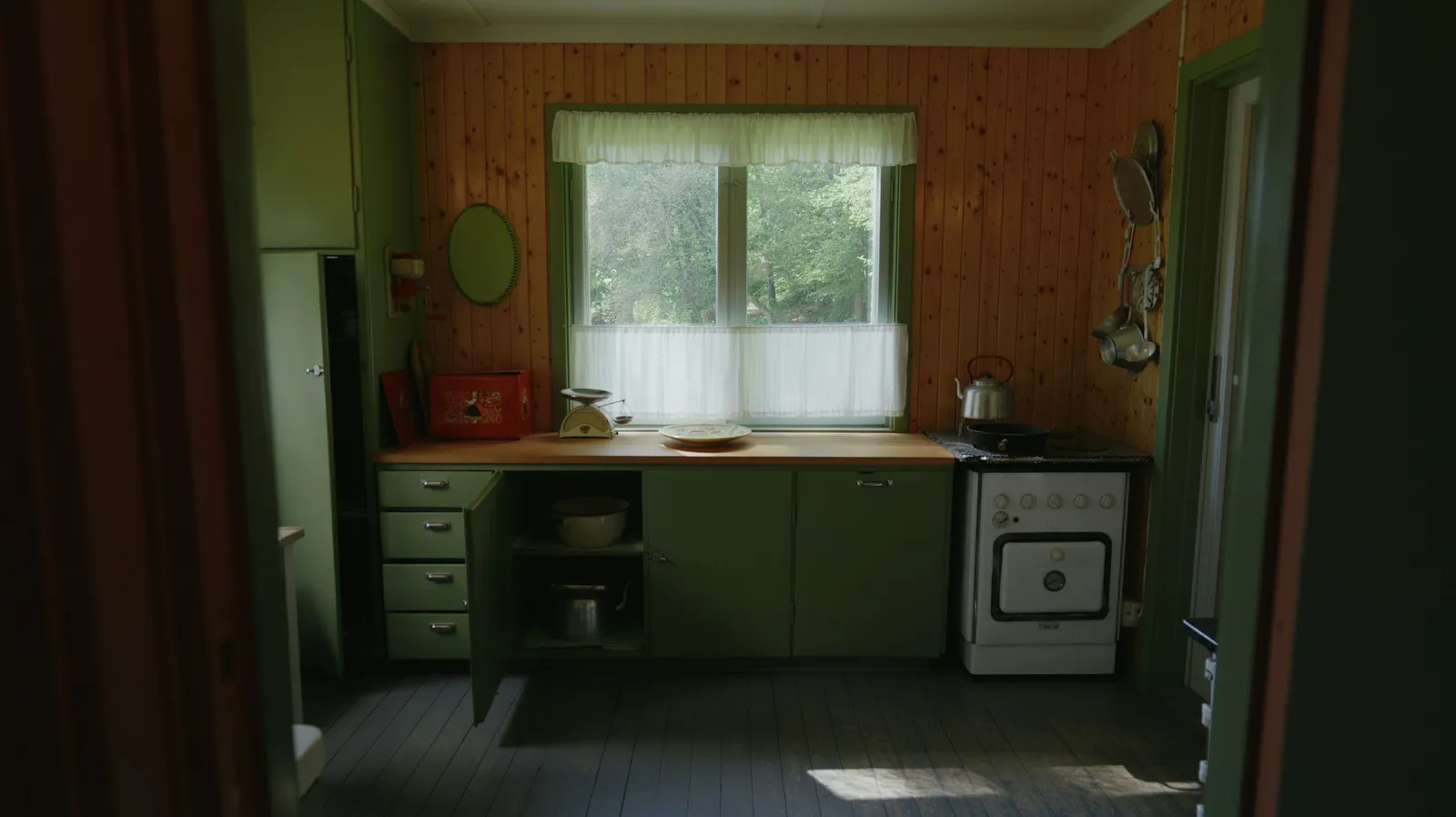
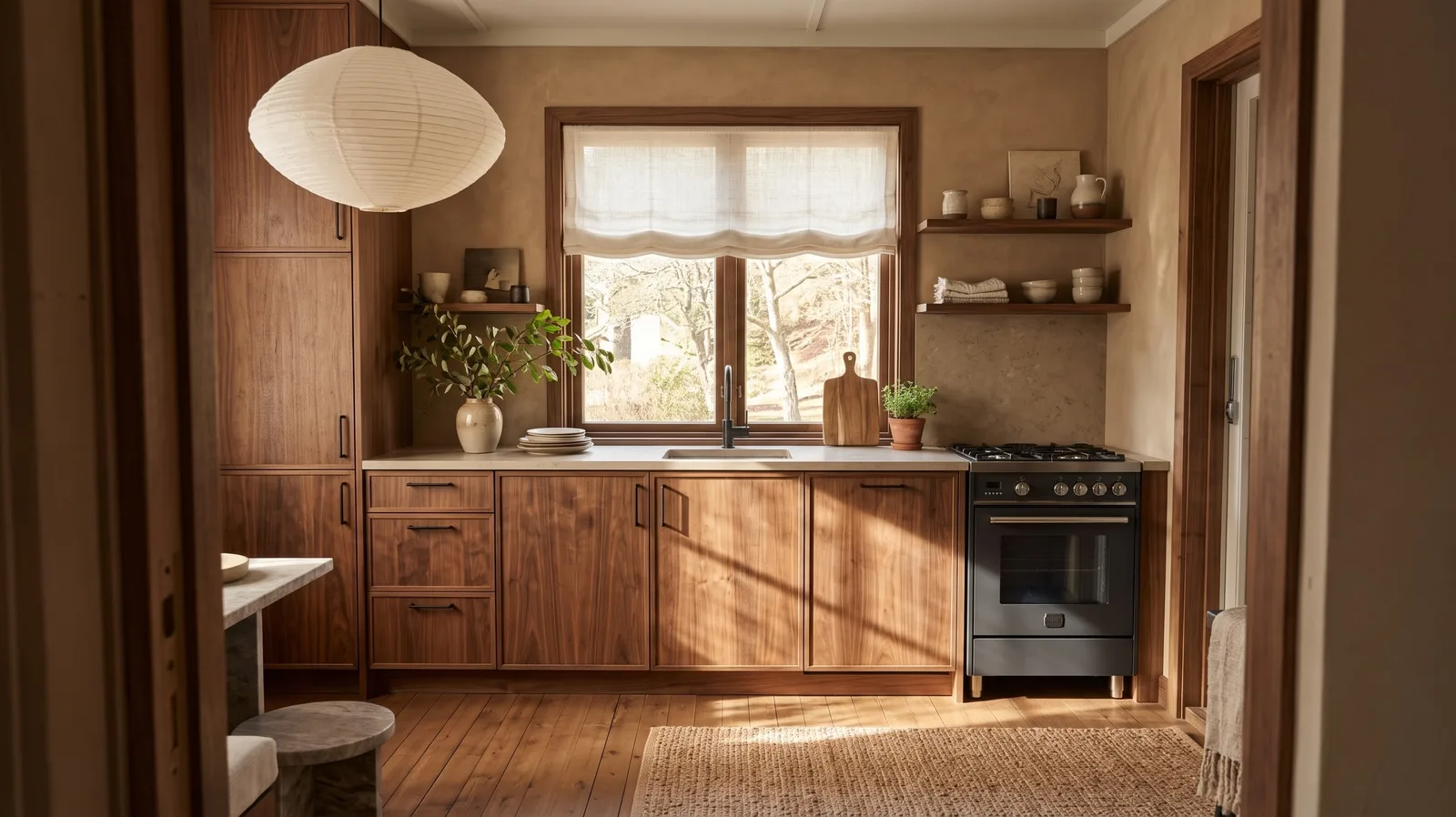
Photo: Marcin Kolodziejczak on Unsplash. Redesigned with Tigmi (Japandi Calm style, paid-plan settings), not retouched.
Things AI commonly gets wrong: storage (wall cabinets turned into open shelves), fixtures added or moved, windows invented behind curtains, and furniture that looks right but wouldn’t fit. If something matters, say it in your notes and run it again.
6. Turn the picture into decisions you can check
An image is a direction. To make it real:
- Measure. A sofa that fits in the image may not fit your wall. Each room page lists the clearances to check, such as walkway widths around a bed or between kitchen counters.
- Sample. Screen colors aren’t paint. Benjamin Moore recommends brushing at least two coats of a sample and looking at it “from morning to evening, under both natural and artificial lighting conditions” (Benjamin Moore).
- Shop for similar, not identical. The furniture in the image is generated, so it doesn’t exist as a product. Look for pieces with the same shape, material and color, and check their real dimensions.
7. Bring in a pro for anything structural
If the version you like moves a sink, removes a wall, changes the lighting points or swaps a tub for a walk-in shower, it’s a renovation, not a redecoration. Take the image to a designer or contractor as a reference: it saves a long conversation about what you mean by “warm minimal”, and they’ll tell you what it would take. Our guide to planning a remodel with AI goes further.
Which AI to use for interior design
| Your goal | Type of tool | Examples |
|---|---|---|
| See your own room in a new style | Photo redesign app | Tigmi and others |
| Furnish an empty room | Virtual staging tool | Tigmi, other staging tools |
| Ideas, lists, palettes in words | Chat assistant | ChatGPT, Gemini |
| Exact layout and furniture sizes | 3D planner | Retailer planners, Homestyler |
Our comparison of AI interior design software covers each type with its free options and limits.
Try it on your room
Tigmi redesigns a photo of your room in one of 16 styles in a couple of minutes, and takes your own notes. On paid plans, Room Lock keeps the walls, windows and doors exactly where they are. Your first redesign each month is free, in 1K with a small watermark.
Tigmi Team
Product & EditorialThe people who build Tigmi, an AI tool that redesigns real rooms from a single photo. We write about what we learn testing styles, prompts and room photos every day.
Frequently Asked Questions
Can you use AI for interior design?
Yes, for the visual part. AI tools can redesign a photo of your room in a chosen style, furnish an empty room, suggest palettes and generate mood boards. They don't take measurements, check building rules or manage a project, so treat the result as a direction, not a plan.
What is the best AI for interior design?
It depends on the job. To see your own room in a new style, use a photo redesign app such as Tigmi. For ideas and lists in words, a general assistant like ChatGPT or Gemini works. For exact layouts and sizes, use a 3D planner. Our comparison of AI interior design software goes through the options.
Is there a free AI interior design app?
Most apps let you try a few images for free, usually with a watermark or lower resolution. Tigmi's free plan gives 1 redesign a month at 1K with a small watermark; paid plans start at $14 a month.
Can AI design a room from a photo?
It can redesign what the photo shows: furniture, colors, materials, lighting and decor, while keeping the windows, doors and shape of the room if the tool supports it. It can only work with what's in the frame, so a photo of the whole room gives much better results than a close-up of one corner.
Will AI replace interior designers?
Not the job. AI speeds up the visualization part, but designers also plan layouts, specify materials, estimate costs, order and coordinate the work. We look at the numbers in a separate article.
Ready to see your room reimagined?
Upload a photo of your room and get a photorealistic redesign in a couple of minutes. Your first redesign each month is free.