What an AI mood board is, how it differs from a traditional one, and a 6-step method to make one for your room, with prompts and free tools.
- ✓ An AI mood board uses generated images to capture the look of a room. It's fast for exploring a direction and weak at specifying real products and colors.
- ✓ Start from words and your room, not from random images: three adjectives, a palette, three materials and what stays.
- ✓ Finish with real things: paint samples, products you can buy, and the direction applied to a photo of your actual room.
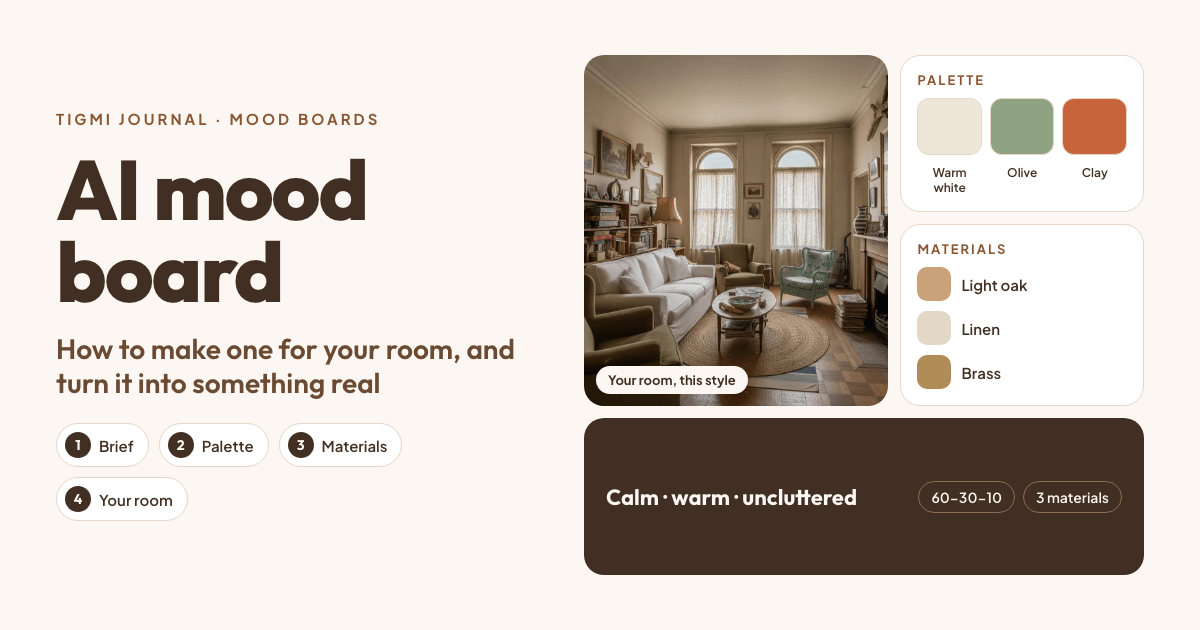
A mood board is a collage of images, colors and materials that captures how a room should feel before you choose anything specific. An AI mood board does the same with generated images: you describe the style, palette and materials, and AI produces pictures of rooms, details and textures in that direction. It takes minutes instead of an afternoon on Pinterest, and you can ask for five variations of “warm minimal with olive accents” before lunch.
It also has a weak spot, and knowing it is what makes the board useful: the beautiful chair may not exist, and the green on screen may not match any paint.
AI mood board vs traditional mood board
| Traditional mood board | AI mood board | |
|---|---|---|
| Source of images | Real photos, products and samples | Generated images |
| Speed | Hours to collect and edit | Minutes, with easy variations |
| Real products | Yes, items can be bought | Often not: items may not exist |
| Color accuracy | Physical samples show true color | Screen colors, no paint codes |
| Specific to your room | Only if you add your own photos | Can be, if generated from your photo |
The best approach uses both: explore with AI, then specify with real things.
How to make an AI mood board for a room: 6 steps
1. Write the brief in words first
Before generating anything, write down:
- Three adjectives for how the room should feel: calm, warm, uncluttered.
- What stays: the oak floor, the grey sofa, the kitchen cabinets.
- How you use the room: working from home, kids, guests, pets.
- One or two rooms you love, and what exactly you love about them.
This keeps the AI from pulling you toward a look that’s beautiful but not yours.
2. Choose a palette
Pick a main color, a secondary color and one accent, roughly in the 60-30-10 proportion. Our guide to accent color meaning helps with the accent; the color palette entry explains the rest. Check your palette against what stays: a cool grey sofa wants a different accent than a cognac leather one.
3. Name three materials
Materials change a board more than furniture does. Choose three you could touch: light oak, linen and paper lamps; walnut, wool and brass; travertine, bouclé and black steel.
4. Generate the images
Ask an AI image tool for a few kinds of image, not just whole rooms:
- The room: “a living room in warm minimal style, light oak floor, linen sofa, paper pendant, warm white walls and olive accents, soft daylight”.
- Details: “close-up of linen and bouclé cushions on an oak bench, natural light”.
- Textures: “lime-washed wall, oak grain and jute rug texture, flat lay”.
Change one thing at a time between versions. Our interior design prompt guide has a five-part formula and copy-ready prompts.
5. See the direction on your own room
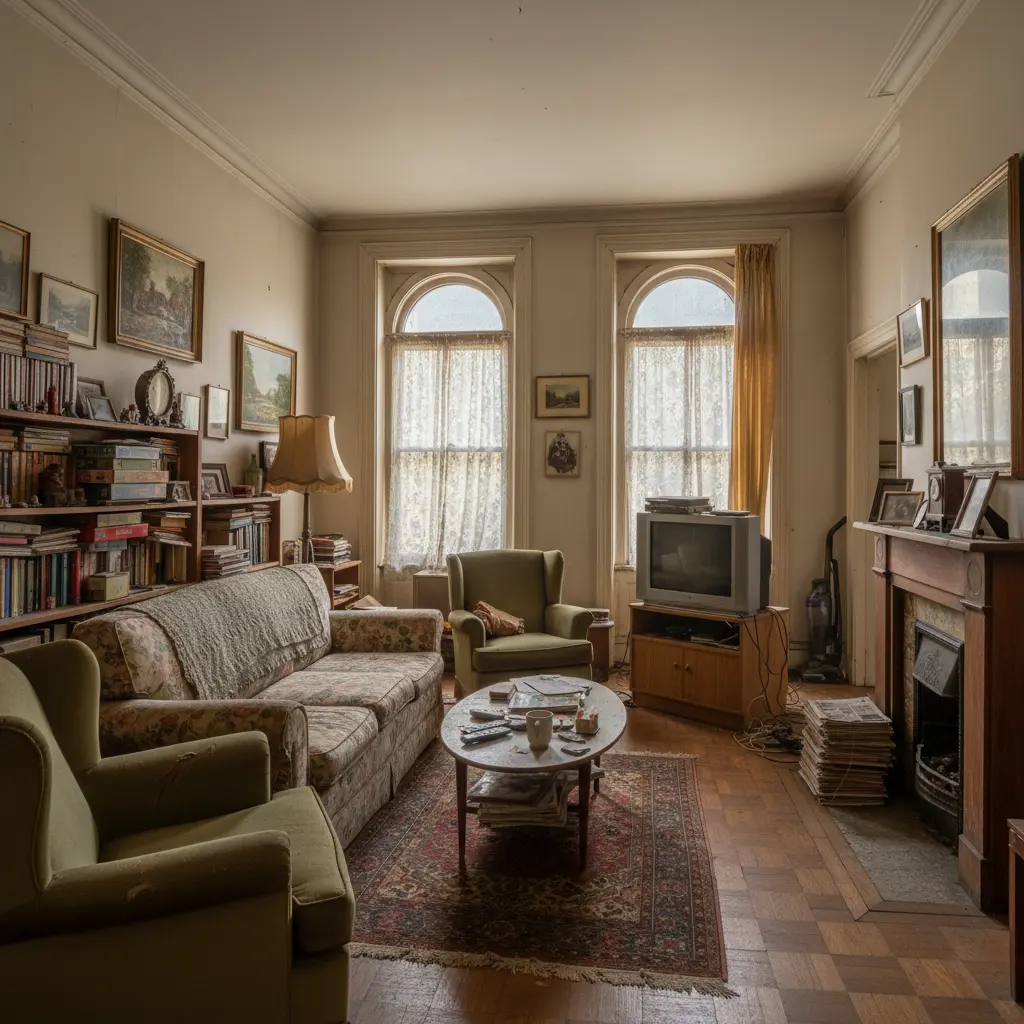
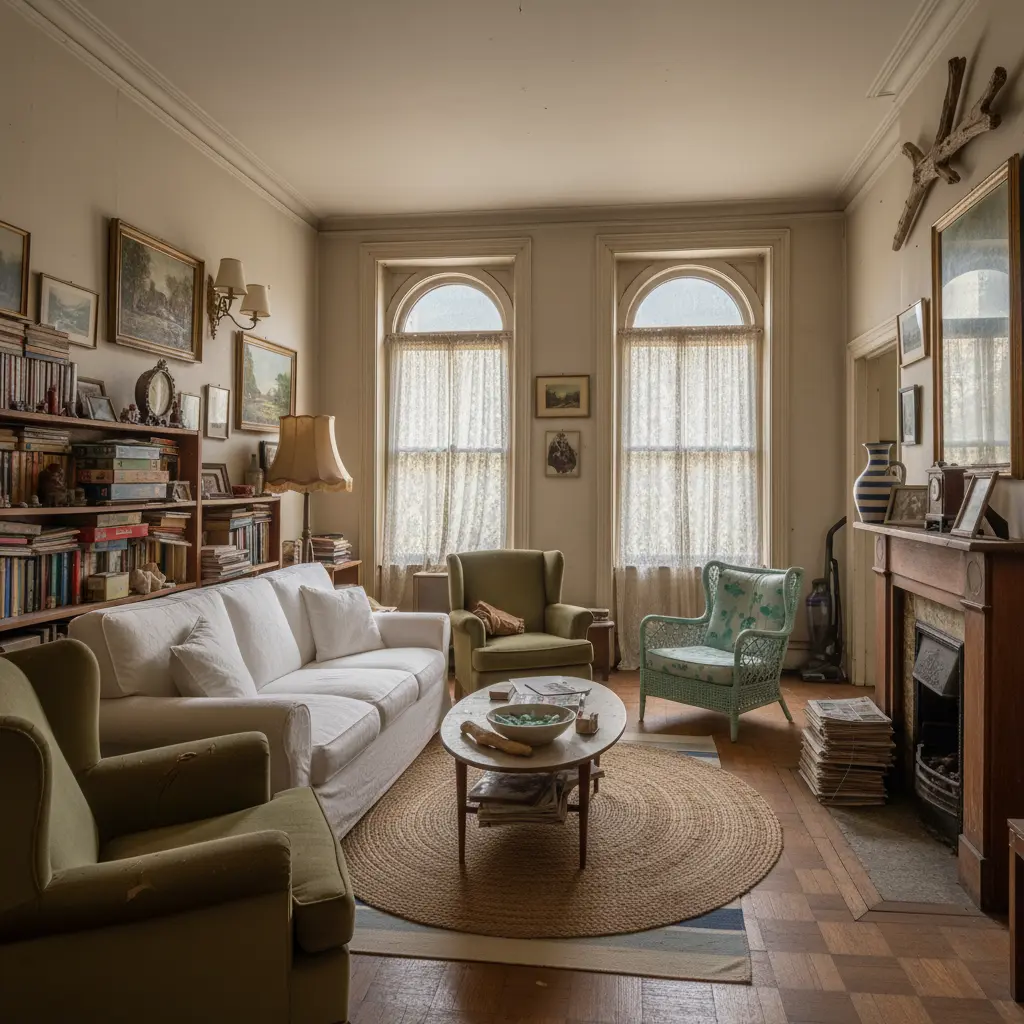
A board of other people’s rooms can mislead you: their light, their proportions, their windows. The most useful image on your board is your room in the chosen style. Photograph the room from a corner in daylight and run it through a photo redesign tool like Tigmi, which keeps your walls, windows and floor and applies the style. Compare two directions side by side before you commit.
6. Assemble the board and make it real
Put the images, the palette and the materials on one page. Free tools work well:
- Pinterest for collecting references.
- Canva has a free plan with mood board templates.
- Milanote’s free plan has all its features, up to 100 cards.
Then replace generated things with real ones:
- Paint: order samples of the closest real colors and look at them on your wall in the morning and the evening.
- Furniture: find real products similar to the generated ones. Tigmi’s Shop the Look searches real retailers for the pieces in your redesign.
- Fabrics and finishes: get physical swatches before you order.
Turning the board into a plan
A mood board answers “what should it feel like?”. The next question is “what do I buy, and where does it go?”. Tigmi’s design plan is a PDF made from your redesign: the palette, every piece with its approximate size, and where it goes in the room. Paid plans add more views of the same design (golden hour, evening light, close-ups of the pieces) and a 360° view, which are useful extra images for the board.
Common mistakes
- Too many directions at once. A board that’s half Japandi and half maximalist decides nothing. Make two boards and choose.
- Only whole-room images. Details and textures carry the feeling; include them.
- Trusting screen colors. Always confirm with physical samples.
- Forgetting what stays. If the sofa stays, put a photo of it on the board.
Related: Interior AI: what it is and how to use it, Japandi interior design and organic modern living rooms.
Tigmi Team
Product & EditorialThe people who build Tigmi, an AI tool that redesigns real rooms from a single photo. We write about what we learn testing styles, prompts and room photos every day.
Frequently Asked Questions
What is an AI mood board?
A mood board whose images are generated or assembled with AI, from a description of the style, palette and materials you want, or from a photo of your room. It captures a look quickly, in several variations, before you choose real products.
How is an AI mood board different from a traditional one?
A traditional mood board uses real photos, products and physical samples, so everything on it can be bought and the colors are true. An AI mood board is much faster and easy to vary, but its pieces may not exist and its colors are screen colors, not paint references.
Which free tools can I use to make a mood board?
Pinterest is free for collecting references. Canva has a free plan with mood board templates. Milanote's free plan includes its full features up to 100 cards. For the AI images, Gemini and ChatGPT generate a few images in their free versions, and Tigmi gives 3 room redesigns a month for free.
Can I make a mood board from a photo of my room?
Yes, and it's the most useful kind. Tools like Tigmi redesign a photo of your actual room in a style you choose, so the board shows your walls, windows and light, not someone else's room.
Ready to see your room reimagined?
Upload a photo of your room and get a photorealistic redesign in a couple of minutes. Your first 3 redesigns each month are free.