The five kinds of AI interior design software, what each is good at, real prices and free tiers, and six questions that tell you which one fits your project.
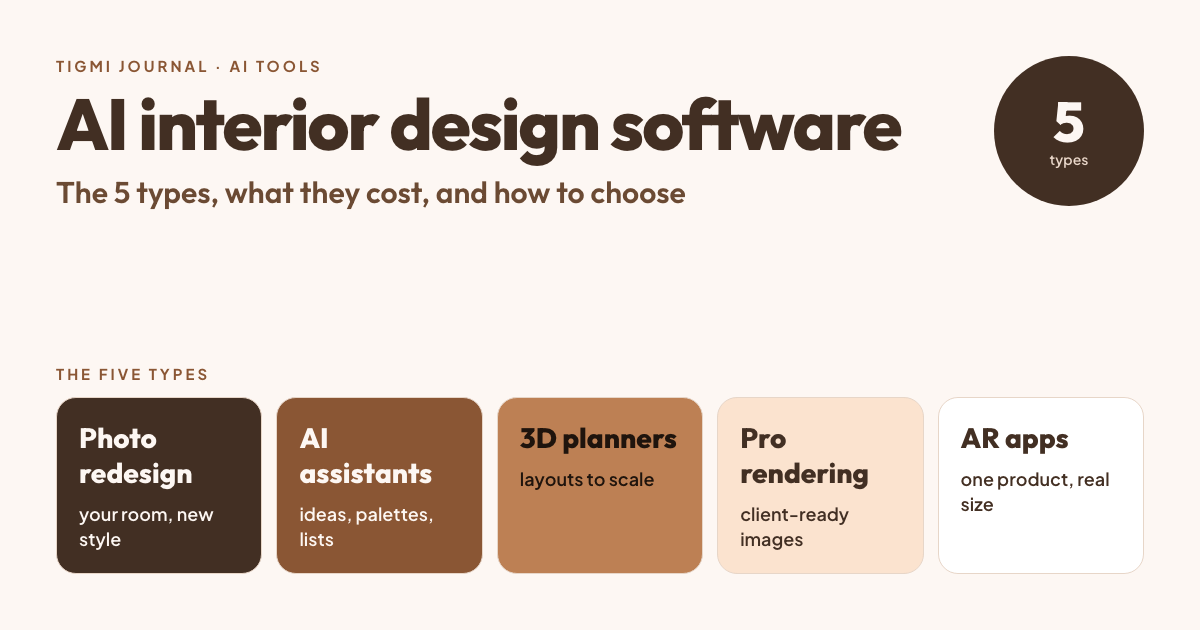
- ✓ "AI interior design software" covers five different kinds of tools: photo redesign apps, general AI assistants, 3D planners with AI, professional rendering software and retailers' AR apps.
- ✓ Pick by the job: seeing your own room in a new style, planning to exact measurements, or presenting a finished project to a client need different tools.
- ✓ Free tiers are real but limited; check the watermark, the resolution and whether commercial use is allowed before you rely on one.
Search for “AI interior design software” and you get a long list of apps that seem to do the same thing. They don’t. Some redesign a photo of your room in a minute, some help you draw a floor plan to the centimeter, some are what professional visualizers use for client presentations. Picking the wrong kind is the most common reason people are disappointed.
This guide sorts them into five types, says what each is good and bad at, shows what they really cost (prices checked on each tool’s own pricing page in October 2026), and ends with six questions that point you to the right one.
The 5 types of AI interior design software
1. Photo redesign apps
You upload a photo of a room, choose a style or describe what you want, and the app returns the same room, redesigned: new furniture, colors, materials and decor. Examples: Tigmi, ReimagineHome and Interior AI.
- Best for: seeing your own room in a new style before you buy anything; virtual staging of empty rooms for listings.
- Watch for: whether the app keeps your walls, windows and floor in place. Tools built for interiors protect the architecture; others “improve” it and the result stops being your room.
- Not for: exact measurements. The image is not to scale.
2. General AI assistants with image generation
ChatGPT and Gemini can plan a room with you (palettes, furniture lists, layout ideas) and generate or edit images. Both have free versions with limits on images.
- Best for: thinking: turning “warm but not cluttered” into a palette, a list of materials and a shopping list.
- Watch for: images of your own room often change the walls, windows or proportions, and each new edit can change what you liked before. Our guide to ChatGPT for interior design shows where it helps and where it doesn’t.
3. 3D room planners with AI features
You draw your room to scale (walls, doors, windows), place furniture from a catalog and see it in 3D. Planner 5D and Homestyler have added AI features on top of their planners.
- Best for: checking that a layout fits: walkway widths, rug sizes, whether the sofa goes on that wall.
- Watch for: you have to model the room yourself, and the AI features are mostly paid (see the prices below).
4. Professional modeling and rendering software
Designers and architects model the space in SketchUp, 3ds Max or Blender and render it with V-Ray, Corona, Enscape, Twinmotion or D5 Render. AI is creeping into these tools (denoising, material generation, AI-assisted renders), but the model is still built by hand.
- Best for: final client presentations, custom joinery, construction details, any image that must match drawings exactly.
- Watch for: a steep learning curve and hours per scene. More in our guide to interior rendering.
5. Retailers’ AR apps
Furniture retailers let you place their products in your room through your phone’s camera or a photo: IKEA Kreativ in the IKEA app, Wayfair’s “View in Room” and Amazon’s “View in Your Room”.
- Best for: checking a specific product’s size and look in your space.
- Watch for: you only see that retailer’s catalog. See our review of IKEA Kreativ.
What they cost
| Tool | Type | Free version | Paid |
|---|---|---|---|
| Tigmi | Photo redesign | 3 designs a month, small watermark | From $14/month (50 redesigns + 50 empty-room stagings, 2K, no watermark) |
| ReimagineHome | Photo redesign | 5 designs when you sign up | Monthly credit plans ($14–$99) |
| Interior AI | Photo redesign | No free plan shown | From $29/month billed yearly, $49 month to month |
| Gemini / ChatGPT | AI assistant | A limited number of images | Paid subscriptions raise the limits |
| Planner 5D | 3D planner | Free plan, no AI credits | Premium $19.99/month or $59.99/year (100 AI credits a month) |
| Homestyler | 3D planner | Free plan, 3 AI credits in total | From $4.9/month (100 AI credits a month) |
| SketchUp | Modeling | Free for schools only | From $10.75/month billed yearly |
| Blender | Modeling + rendering | Completely free, commercial use included | — |
Prices change often; check the tool’s own page before you subscribe.
Six questions that tell you which one you need
- Do you have the room already? If yes, start from a photo (type 1). If it’s a new build or a plan, start with a 3D planner (type 3).
- Do you need exact measurements? Photo apps are not to scale. Use a planner or a tape measure before buying furniture.
- Will the images be used commercially? Real estate listings and client presentations need a plan that includes commercial use. On many apps the free tier doesn’t.
- Do you need to keep something? A sofa you own, the parquet, the kitchen layout. Look for a tool that lets you lock the room’s structure and say what stays.
- What happens after the picture? If you want to buy what you see, look for a way to find similar real products.
- Which language do you think in? Describing a room is easier in your own language; check the app supports it.
What a good result looks like
This is a real redesign made in Tigmi: the walls, the arched windows and the fireplace stayed where they are; only the furniture, rug and styling changed.
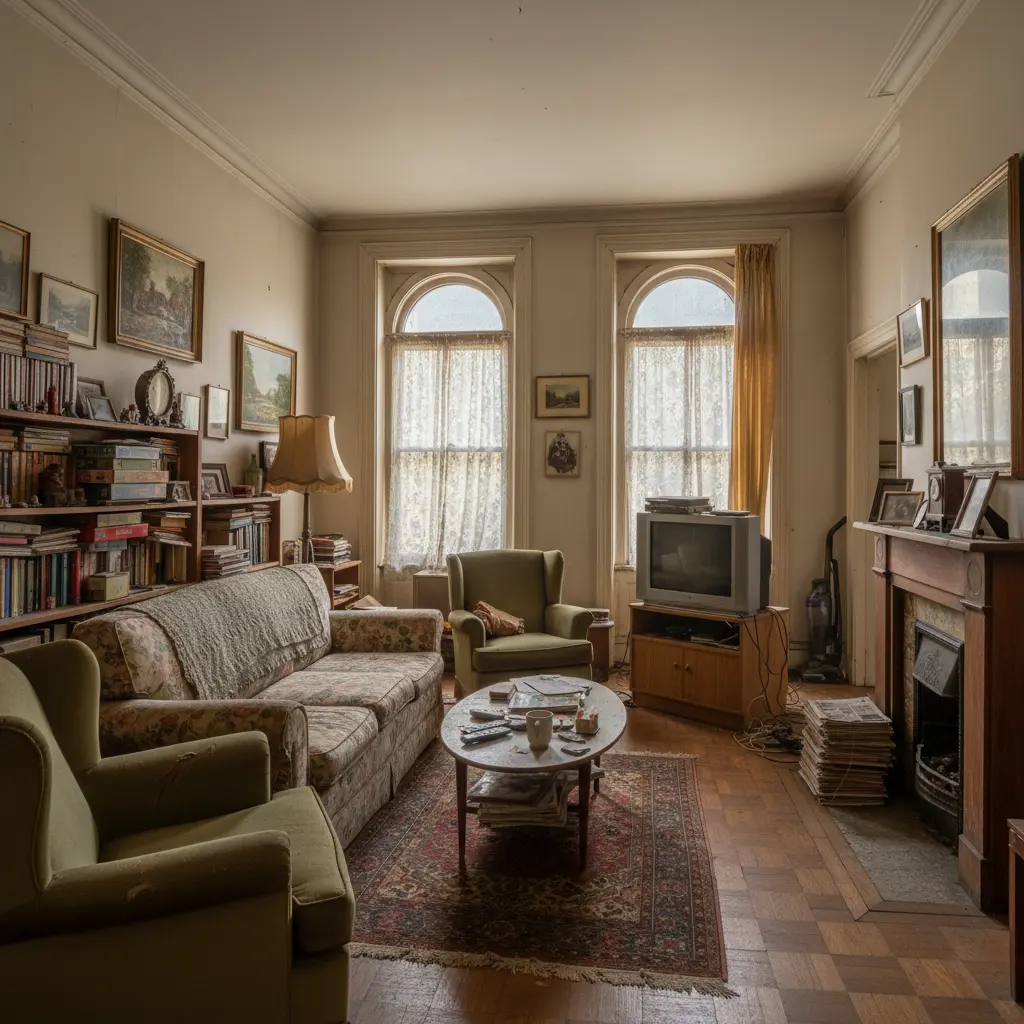
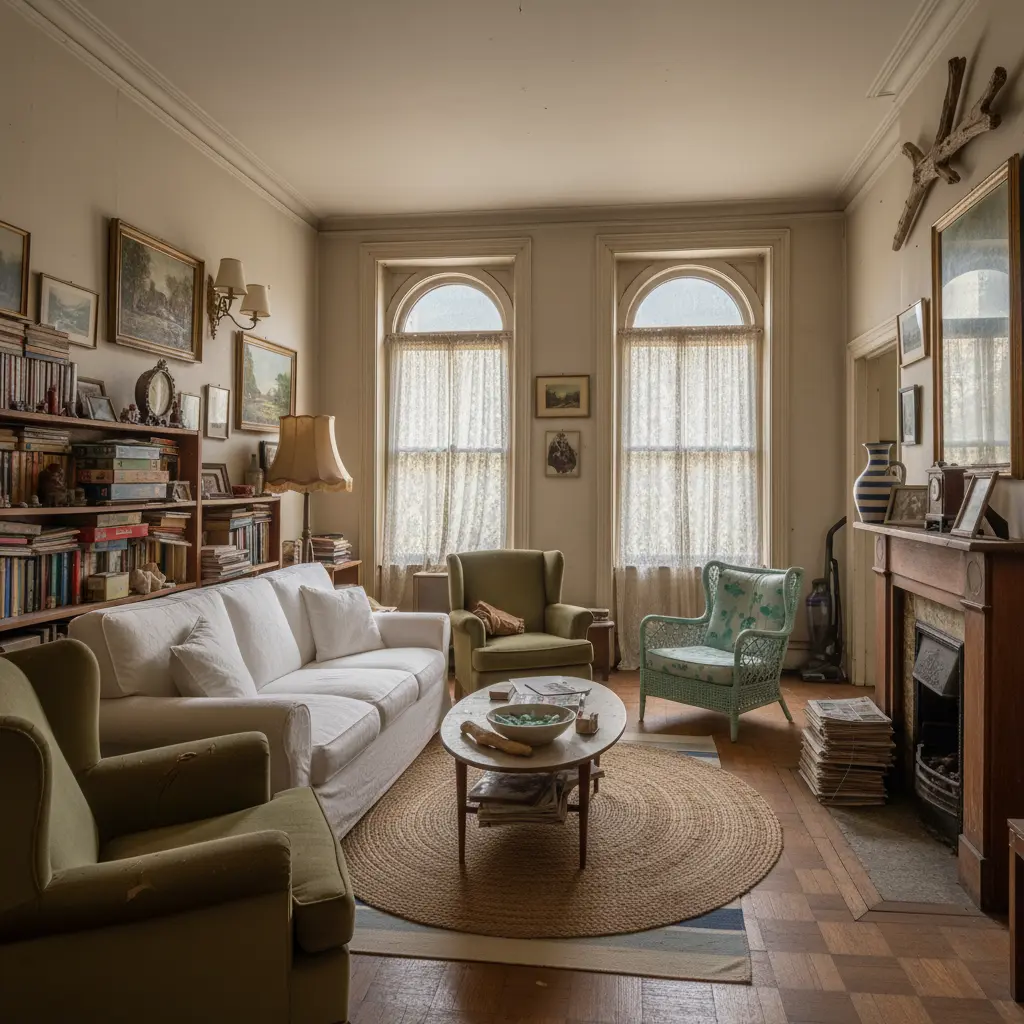
That’s the test to apply to any photo redesign app: put the before and after side by side and check the architecture first.
Where Tigmi fits
Tigmi is a photo redesign app (type 1), on the web and on iPhone and Android, in six languages. What it does:
- Redesigns your room from one photo in one of 16 styles, with your own notes, keeping the room’s structure; on paid plans Room Lock holds walls, windows, doors and floor even more strictly.
- Furnishes empty rooms for listings (virtual staging).
- Places your own pieces: add photos of up to three items you own or like.
- Shop the Look finds similar products from real retailers in your country.
- A design plan PDF lists the palette, every piece, its size and where it goes; paid plans add more views (golden hour, evening, close-ups) and a 360° view of the room.
What it doesn’t do: floor plans, construction drawings or measurements. For those, pair it with a 3D planner or a professional.
The short answer
- Want to see your own room in a new style: a photo redesign app.
- Want to plan the layout to scale: a 3D planner.
- Need client-ready images or construction detail: professional rendering software, or a designer.
- Want to try one specific product: the retailer’s AR app.
Most people get the best result by combining two: an AI redesign to decide on a direction in minutes, and a planner or tape measure to check that it fits.
Related: Interior AI: what it is and how it works, free AI room decorating apps and how to write better prompts. By room: living room, bedroom, kitchen, bathroom and home office.
Tigmi Team
Product & EditorialThe people who build Tigmi, an AI tool that redesigns real rooms from a single photo. We write about what we learn testing styles, prompts and room photos every day.
Frequently Asked Questions
What is the best AI interior design software?
It depends on the job. To see your own room in a new style, a photo redesign app like Tigmi is the fastest. To plan a layout to exact measurements, use a 3D planner such as Planner 5D or Sweet Home 3D. For client presentations and construction, professionals use modeling and rendering software like SketchUp, Blender or Twinmotion.
Is there free AI interior design software?
Yes, with limits. Tigmi gives 3 designs a month for free, ReimagineHome gives 5 designs when you sign up, Gemini and ChatGPT generate a few images in their free versions, and Blender and Sweet Home 3D are completely free but have no AI redesign. Free AI tiers usually add a watermark or exclude commercial use.
Can AI interior design software use a photo of my room?
Photo redesign apps are built for exactly that: you upload a photo and get the same room back in a new style. General image tools can also edit a photo, but they often move windows or change the walls. 3D planners don't start from a photo; you draw the room.
Can AI interior design software replace an interior designer?
Not for a full project. It is very good for exploring styles, comparing options and deciding what you like. It does not measure your room, plan electrics, manage contractors or order furniture, which is where a designer still adds the most.
Ready to see your room reimagined?
Upload a photo of your room and get a photorealistic redesign in a couple of minutes. Your first 3 redesigns each month are free.