AI home office design
AI home office design: plan your workspace on a photo of the room
A home office has to work before it looks good: a desk at the right height, a screen that doesn't catch the window's glare, enough light and somewhere to put things away. Tigmi furnishes a photo of your spare room, or redesigns an existing office, in the style you choose, and keeps the windows, the doors and the room's shape. It's a quick way to see whether a desk works under the window or against the side wall before you buy one.
3 free designs a month · no credit card
 Before: the photo
Tigmi turns one photo of a spare room or an existing office into a furnished home office in a couple of minutes: desk, chair, shelving, lighting, rug and wall color, with the windows, doors and room shape kept. It shows a style and a layout idea; the ergonomics still need a tape measure.
Four empty rooms, turned into home offices with Tigmi
Four real photographs of empty rooms, each furnished as a home office in a different style. Look at where the desk ended up in each one, and at what stayed: the windows, the radiator, the doors.
 Before: the photo After: Tigmi
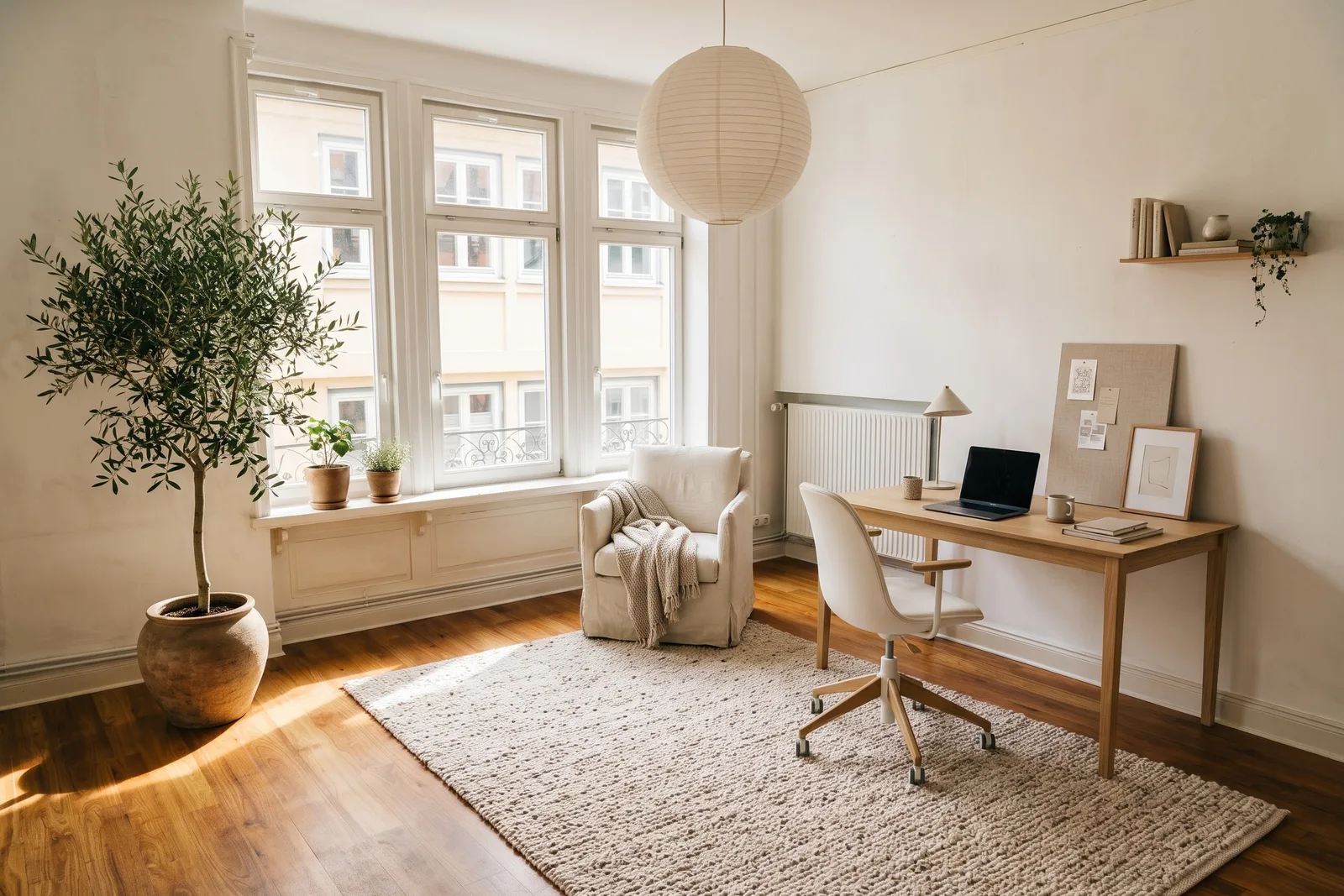
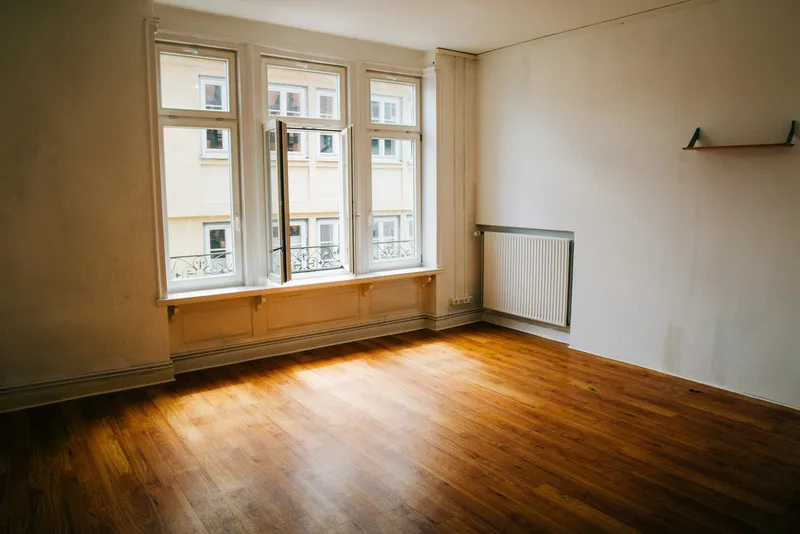
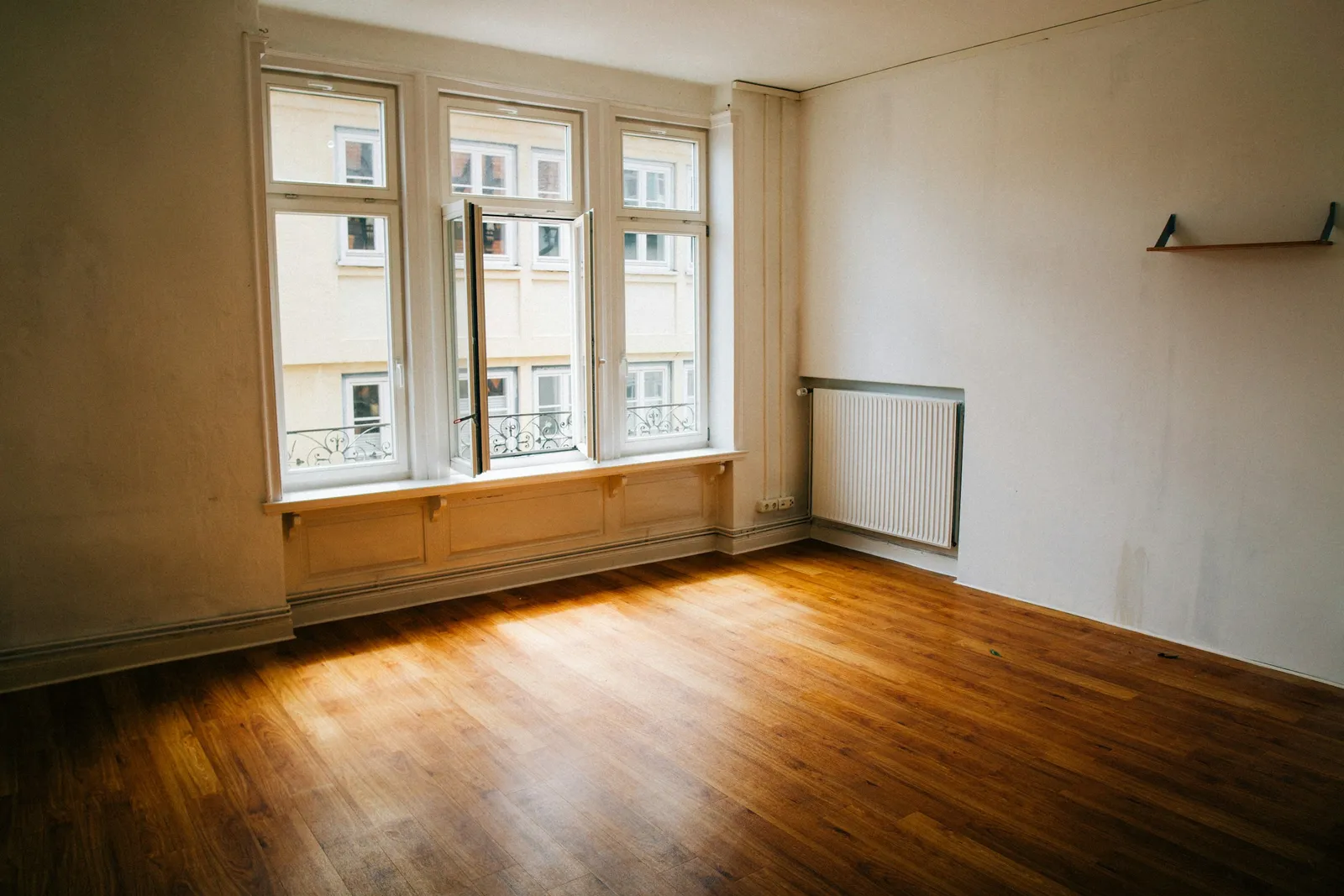
An empty room in an older apartment, with tall windows, a radiator and a paneled window bench, furnished as a home office in Nordic Light. The desk went against the side wall, so daylight falls across it rather than on the screen; the windows, the radiator and even the little wall shelf were kept.
Empty room, furnished · Style: Nordic Light · Original photo: Christian Lue on Unsplash
 Before: the photo
 After: Tigmi
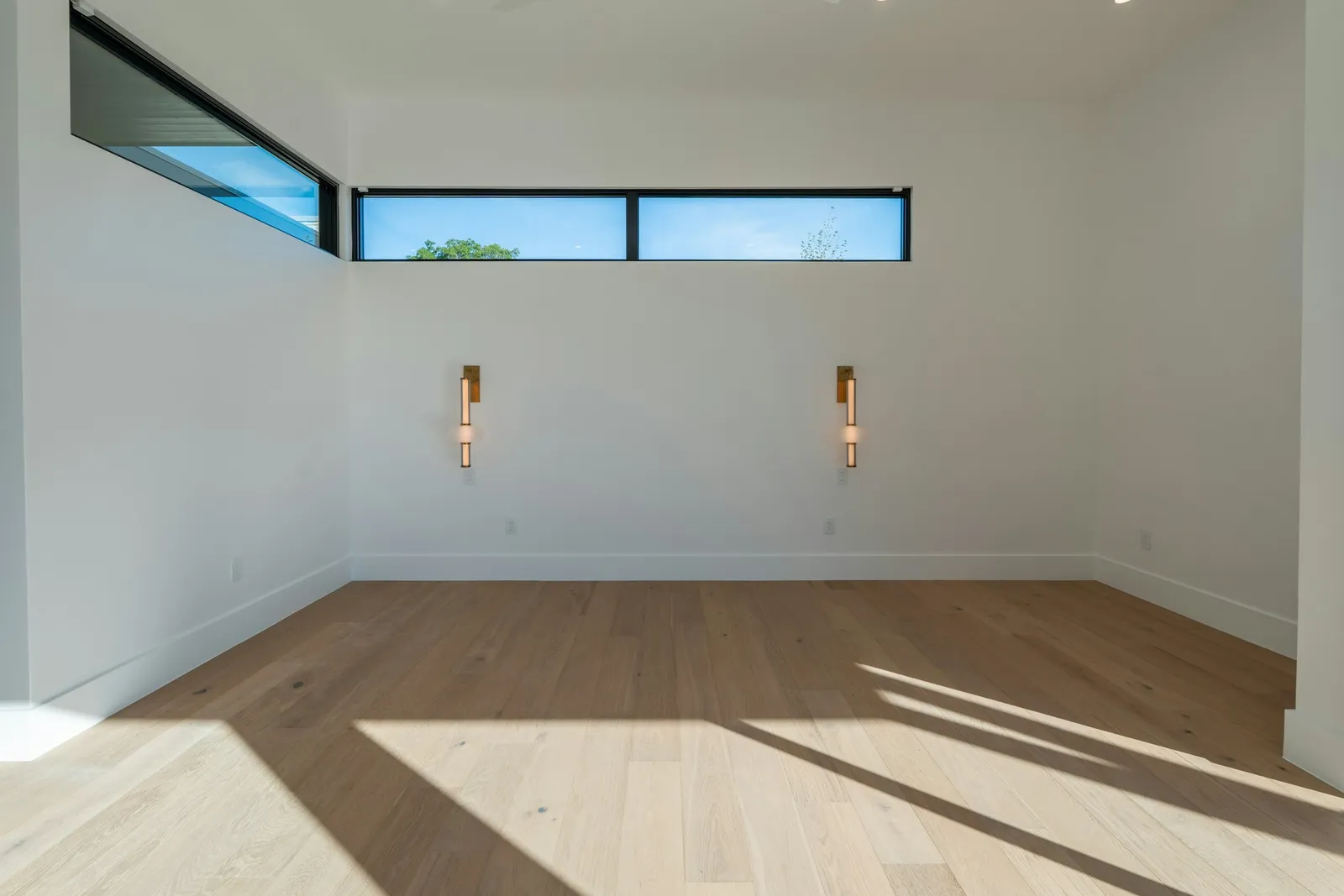
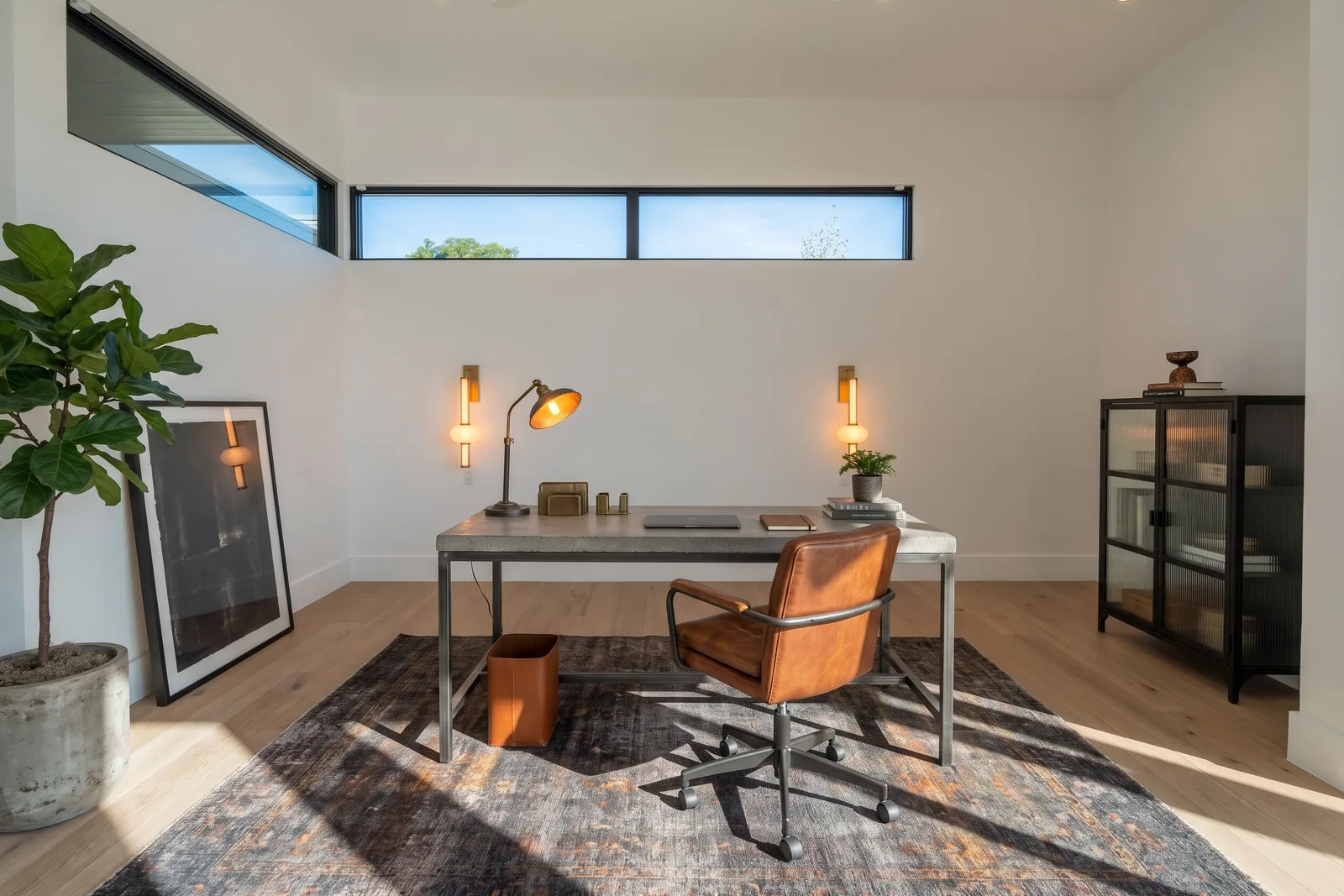
A new empty room with clerestory windows and two wall sconces, furnished in Loft Industrial: a concrete-top desk, a leather chair, a fluted-glass cabinet and a dark vintage rug. The high windows and both sconces are unchanged.
Empty room, furnished · Style: Loft Industrial · Original photo: Salvo Media LLC on Unsplash
 Before: the photo
 After: Tigmi
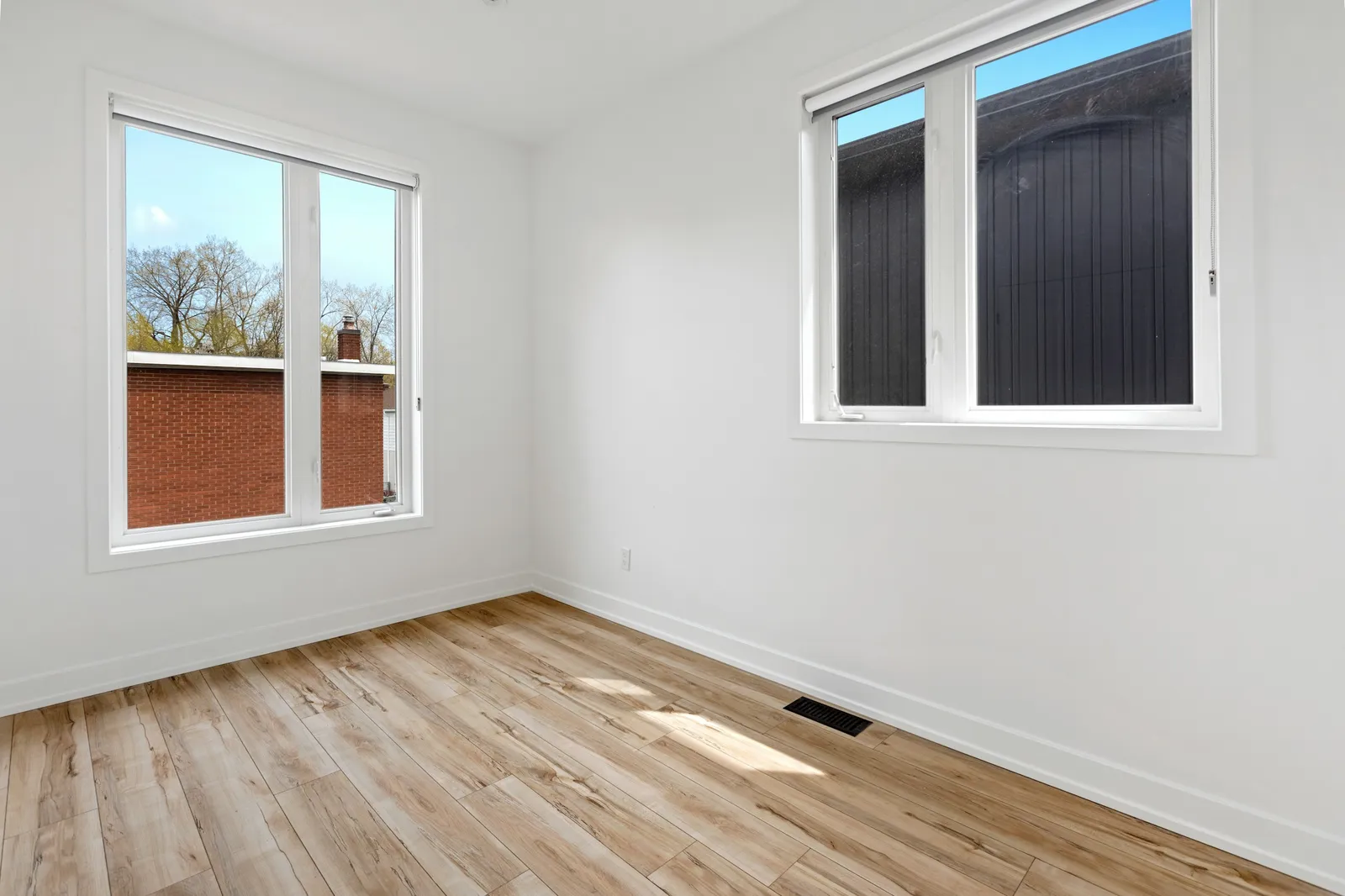
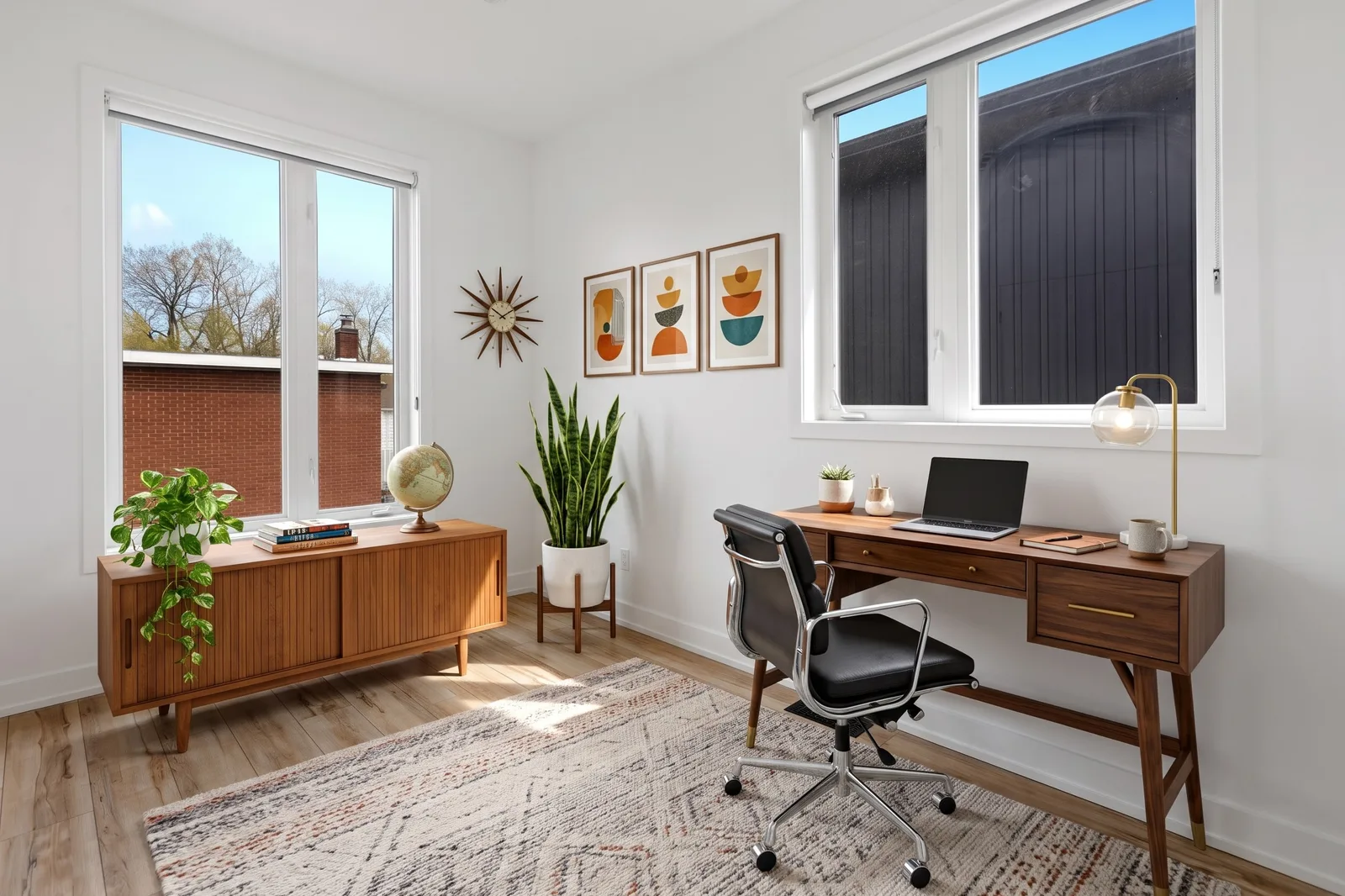
A small spare room with two windows, furnished in Mid-Century Modern with a walnut desk, a credenza and a sunburst clock. Both windows are unchanged. Two things to check: the desk faces the window, which means glare on a screen, and the floor vent ended up under the rug.
Empty room, furnished · Style: Mid-Century Modern · Original photo: Point3D Commercial Imaging Ltd. on Unsplash
 Before: the photo
 After: Tigmi
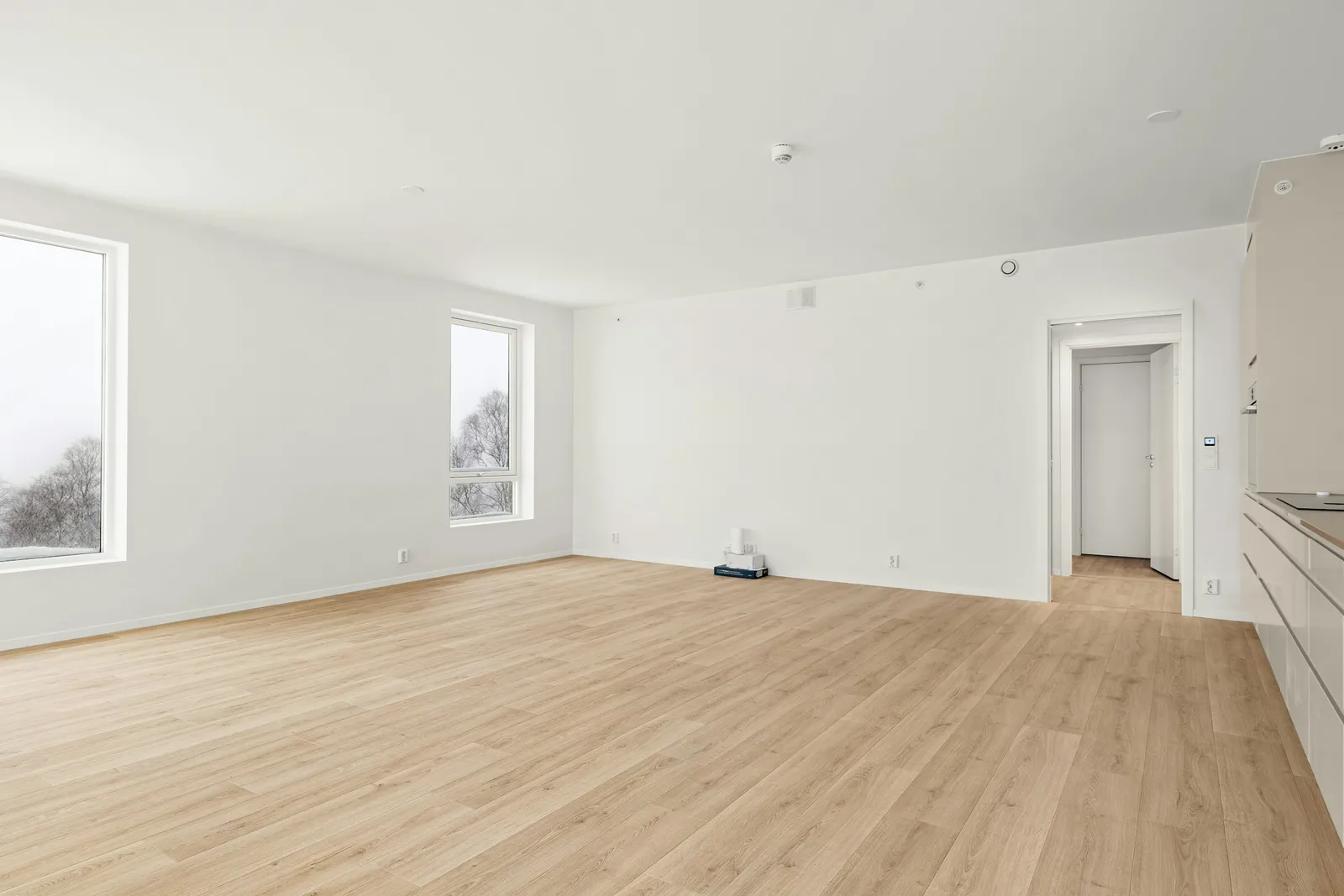
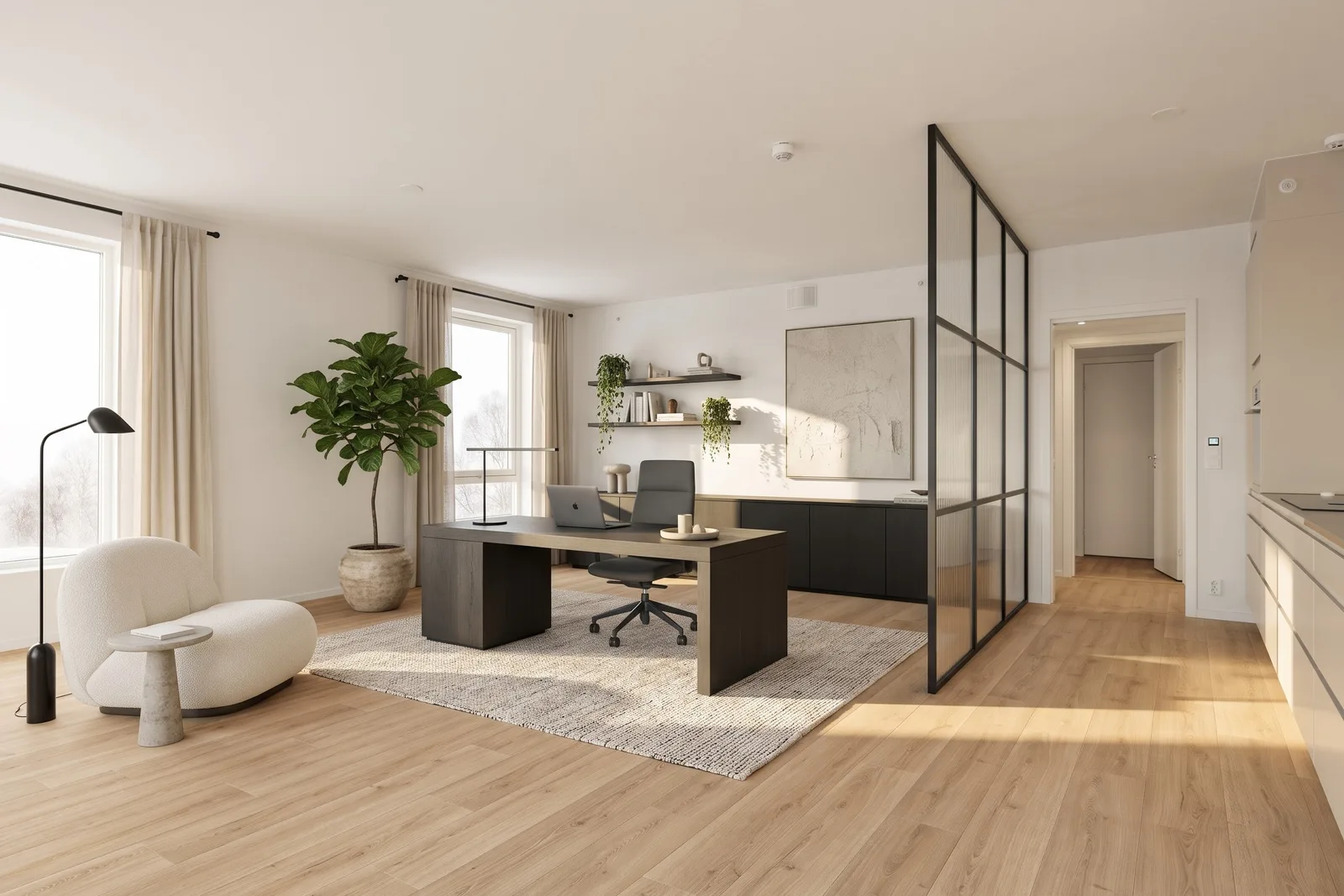
A large empty space next to a kitchen, furnished as an office in Minimal Contemporary. The windows, the doors and the kitchen units are unchanged, but the AI also added a steel-and-glass partition to separate the office: a good idea, but a building job, not furniture.
Empty room, furnished · Style: Minimal Contemporary · Original photo: Lisa Anna on Unsplash
All examples were made with Tigmi on a paid plan (2K, Room Lock on) and not retouched. The free plan gives 3 designs a month at 1K with a small watermark, without Room Lock.
What to expect from the redesign
What Tigmi changes
- The desk and chair, shelving, cabinets and any reading chair or daybed the style suggests.
- Lighting: a desk lamp, a pendant or wall lights, chosen for the style.
- The rug, curtains or blinds, the wall color, art and plants.
What stays
- Windows, doors and radiators, so you can see how the desk sits with the light (Room Lock, on paid plans).
- The size and shape of the room, the ceiling and the camera angle.
- Daylight from your real windows, which shows where the screen would get glare.
Where it falls short
- The AI may put the desk facing the window, as in the third example. For screen work, a desk side-on to the window usually means less glare: say so in your notes.
- It can add things that aren't furniture, such as the glass partition in the last example. Treat those as ideas with a builder's price tag.
- Desk height, chair adjustment and screen distance can't be judged from a picture; check them with the numbers below.
- Cables, sockets and network points aren't in the image. Look at where yours are before you pick a wall for the desk.
How to take the photo
01
Photograph the room the way you'd walk in
Stand at the door and include the window wall. Seeing the windows lets the AI place the desk and the light realistically.
02
Keep the radiator and sockets in view
If they're in the photo, the redesign has to work with them, which is what will happen in real life too.
03
Say how you work
Notes such as "two screens, standing desk, bookshelf for 100 books, video calls facing a plain wall" give you an office you'd actually use, not a showroom.
Numbers to check before you buy
OSHA's guidance on computer workstations and the European lighting standard for offices give clear numbers. They apply to a home office as much as to a company one.
| Leg room under the desk | 20–28 in (50–72 cm) high [1] |
|---|---|
| Screen distance | at least 20 in (50 cm); 20–40 in (50–100 cm) is the preferred range [2] |
| Screen height | top line of the screen at or slightly below eye level [2] |
| Screen and window | place the screen perpendicular to the window to avoid glare [2] |
| Light on the desk | 500 lux for reading, writing and screen work (EN 12464-1) [3] |
A redesign is a picture, not a plan: it isn't to scale. Check these against your own measurements.
Styles that work well here
Nordic Light
White walls, pale oak and a simple desk keep a small room bright and make long days at the screen feel less closed in.
Mid-Century Modern
A walnut desk, a leather chair and a brass lamp: warm, a little formal, and good on video calls.
Loft Industrial
Black steel shelving, a wood-top desk and concrete tones suit rooms with high windows or a plain, raw look.
Minimal Contemporary
Closed storage and very few objects. The best choice when the office is also a guest room or part of a bedroom.
Questions people ask
Can AI design my home office?
Yes, from a photo of the room. Tigmi furnishes an empty room as an office, or redesigns an existing one, in the style you pick: desk, chair, shelving, lighting, rug and colors. The windows, doors and radiators stay, so you can judge the layout against your real light.
Where should the desk go?
For screen work, usually side-on to the window, so daylight falls across the desk and not on the screen or in your eyes. If the redesign puts the desk facing the window, ask for "desk against the side wall, perpendicular to the window" in your notes and compare both.
Can I keep my own desk or chair?
Yes. Add photos of up to three pieces you own, such as your desk, chair and bookcase, and Tigmi places them in the design. The AI redraws them, so details can differ slightly.
Can it turn part of a bedroom into an office?
Yes. Upload a photo of the bedroom, choose the home office room type or describe the corner you want ("desk in the corner by the window, bed stays"). The more of the room the photo shows, the better the AI can place the workspace.
Is it free?
Tigmi gives 3 designs a month for free, in 1K with a small watermark. Paid plans start at $14 a month with 2K images, no watermark and Room Lock.
Other rooms
- Living room — AI living room design
- Bedroom — AI bedroom design
- Kitchen — AI kitchen design
- Bathroom — AI bathroom design
See your own room in a new style
Upload one photo, pick a style, and compare the result with the room you have.
Ready in a couple of minutes • Watermark-free on paid plans • Private uploads